


Device Hub Support
RocketSim works with Xcode 27's Device Hub in expanded and Compact Mode for captures, accessibility, design comparison, and agent workflows.
Device Hub is the new app introduced in Xcode 27. It brings Simulators and connected devices together in a single window, replacing the standalone Simulator window you used in earlier Xcode versions. RocketSim adds first-class support for Device Hub, so the workflows you already rely on keep working alongside it.
Using the side window
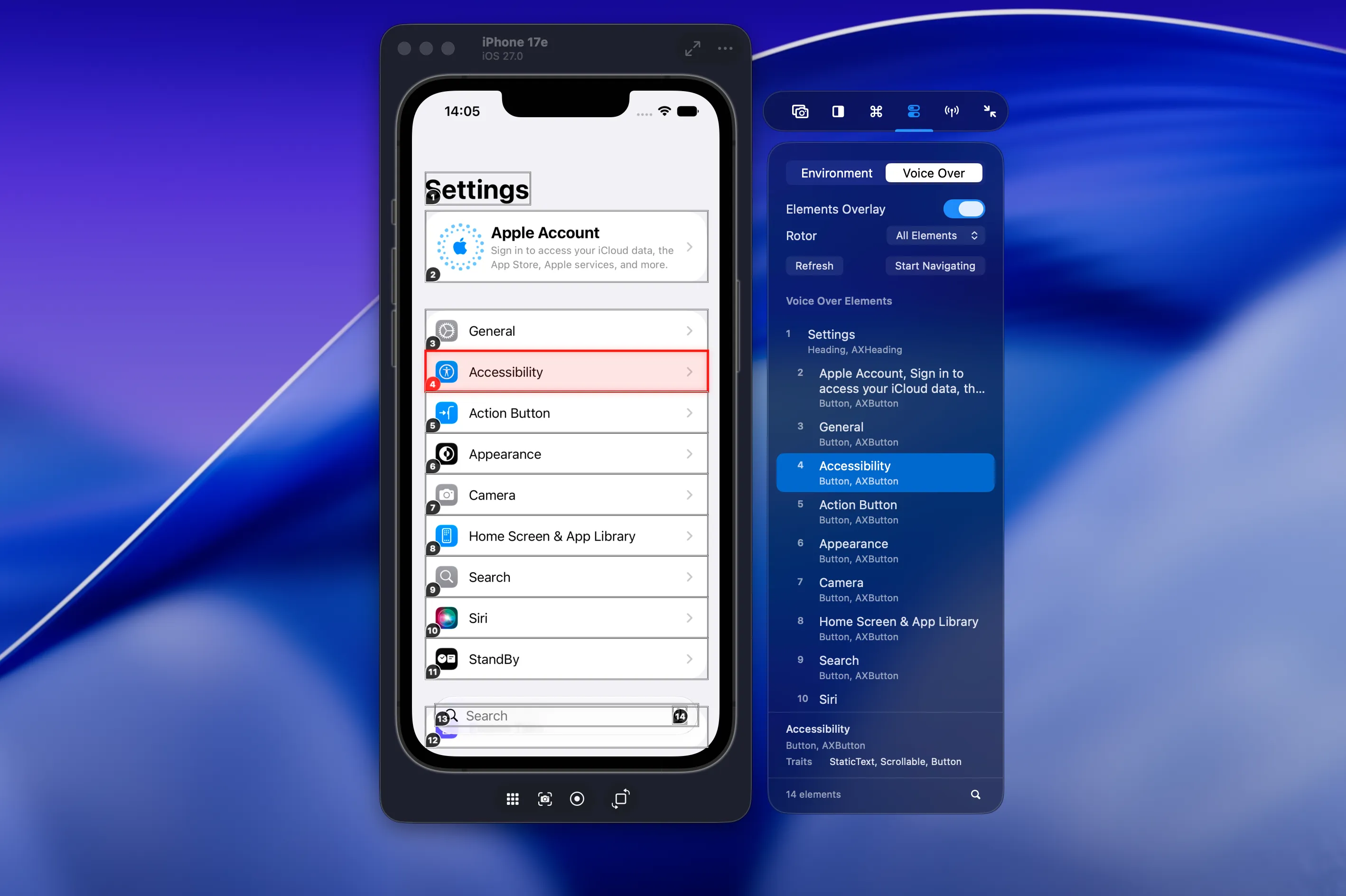
Section titled “Using the side window”RocketSim’s side window appears for Simulators in both the expanded Device Hub and Compact Mode. You can take screenshots, create recordings, and use side-window actions in either layout.
Screen-relative overlays still require Compact Mode because RocketSim needs a single device window to align them correctly. Switch to Compact Mode when using design comparison, grids, rulers, or VoiceOver overlays directly on top of the Simulator.
If you don’t see the side window, focus the Simulator inside Device Hub. RocketSim detects Simulators that are already open when it launches and ones that you boot afterward.
Run Device Hub on its own
Section titled “Run Device Hub on its own”For the most predictable window attachment, run Device Hub on its own without displaying the same Simulator in Simulator.app at the same time.
RocketSim keeps app actions inside the surface you are using, so deep links and push notifications no longer switch your workflow from Device Hub to Simulator.app.
What keeps working
Section titled “What keeps working”Side-window features continue to work with Device Hub, including:
- Screenshots and recordings
- Design comparison, grids, and rulers in Compact Mode
- The VoiceOver Navigator and screen-relative accessibility overlays in Compact Mode
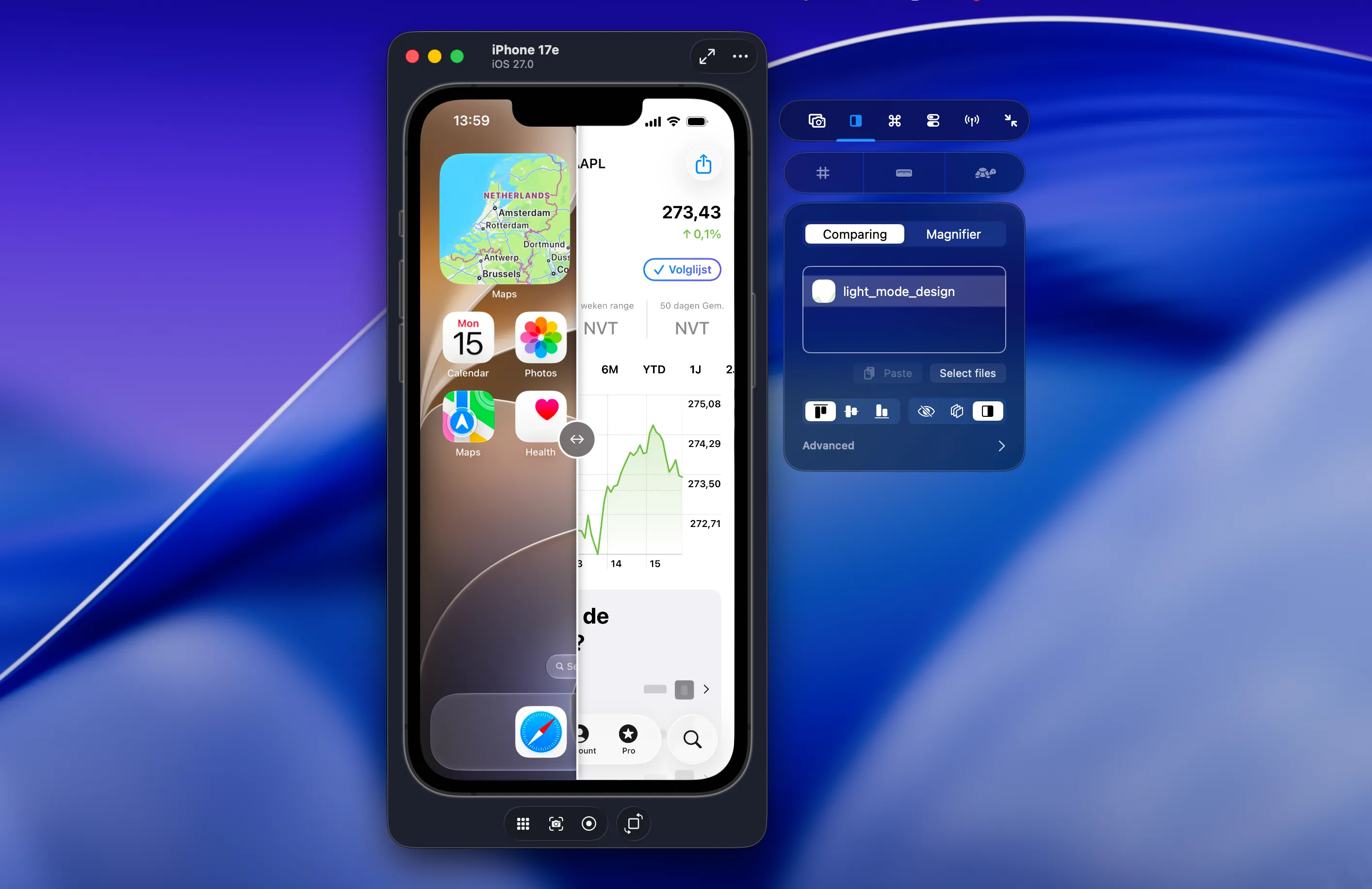
Recent Builds also follows Simulator apps run through Device Hub. For connected iPhones and iPads, RocketSim provides a dedicated USB preview and physical-device actions; see Physical Device Testing.
Restore missing Simulator actions
Section titled “Restore missing Simulator actions”RocketSim 16.5 restores several actions that Device Hub no longer provides:
- Shake the focused Simulator
- Toggle light and dark appearance
- Simulate a memory warning
- Shut down the focused Simulator
- Shut down all other Simulators
Use these actions from RocketSim → Simulator, the Comparing tab, or a global keyboard shortcut. Read Simulator Actions for each access point and the suggested Simulator.app shortcuts.
Slow Animations remains available from RocketSim’s Comparing tab and as a configurable global shortcut.
Drag files into Device Hub
Section titled “Drag files into Device Hub”Drop supported files or links onto RocketSim’s visible side window to import them into the focused Simulator. RocketSim supports:
.apnspush notification payloads.cer,.crt,.der, and.pemroot certificates- Photos and videos
.appbundles- HTTP(S) and custom-scheme links
The Device Hub File Imports guide explains the requirements and feedback for each type. Imports and Simulator actions are disabled for physical devices so RocketSim never targets a different booted Simulator by mistake.
Open multiple Simulators
Section titled “Open multiple Simulators”Device Hub can show multiple Simulators, although the workflow is different from Simulator.app. Select File → New Window or press ⇧⌘N, then open a device in each window.
Use Compact Mode when you want focused, side-by-side Simulator windows. RocketSim attaches its side window to the Simulator you focus.
Use Device Hub with AI agents
Section titled “Use Device Hub with AI agents”Starting with RocketSim 16.4.2, the rocketsim CLI and rocketsim doctor resolve booted Simulators through Device Hub as well as Simulator.app. Your agent can inspect and interact without opening the standalone Simulator app.
When only one Simulator is booted, RocketSim selects it automatically. If several are booted, focus the one you want to control or pass its UDID using --udid <udid>. Compact Mode is only required when the workflow depends on a screen-relative overlay.
Running into issues?
Section titled “Running into issues?”Device Hub is brand new in Xcode 27, and edge cases can still slip through. If the side window doesn’t attach the way you expect, or something looks off, please report an issue on GitHub with as much detail as you can share. That helps us tighten Device Hub support quickly.