


Deep Links & Universal Links
Test deep links and universal links on the iOS Simulator or a connected physical iPhone or iPad. Save and trigger URL schemes from RocketSim's side window.
A deeplink or Universal Link allows you to redirect users to a specific location of your app. A common example is opening a map location in WhatsApp, which will directly open inside Apple Maps.
The same functionality can be built into your apps. I’ve seen developers manage all supported deeplinks in notes, reminders, or hosted HTML pages. With RocketSim, you can now manage all supported deeplinks in a single place, accessible for all Simulators.
Creating a deeplink (Universal Link)
Section titled “Creating a deeplink (Universal Link)”-
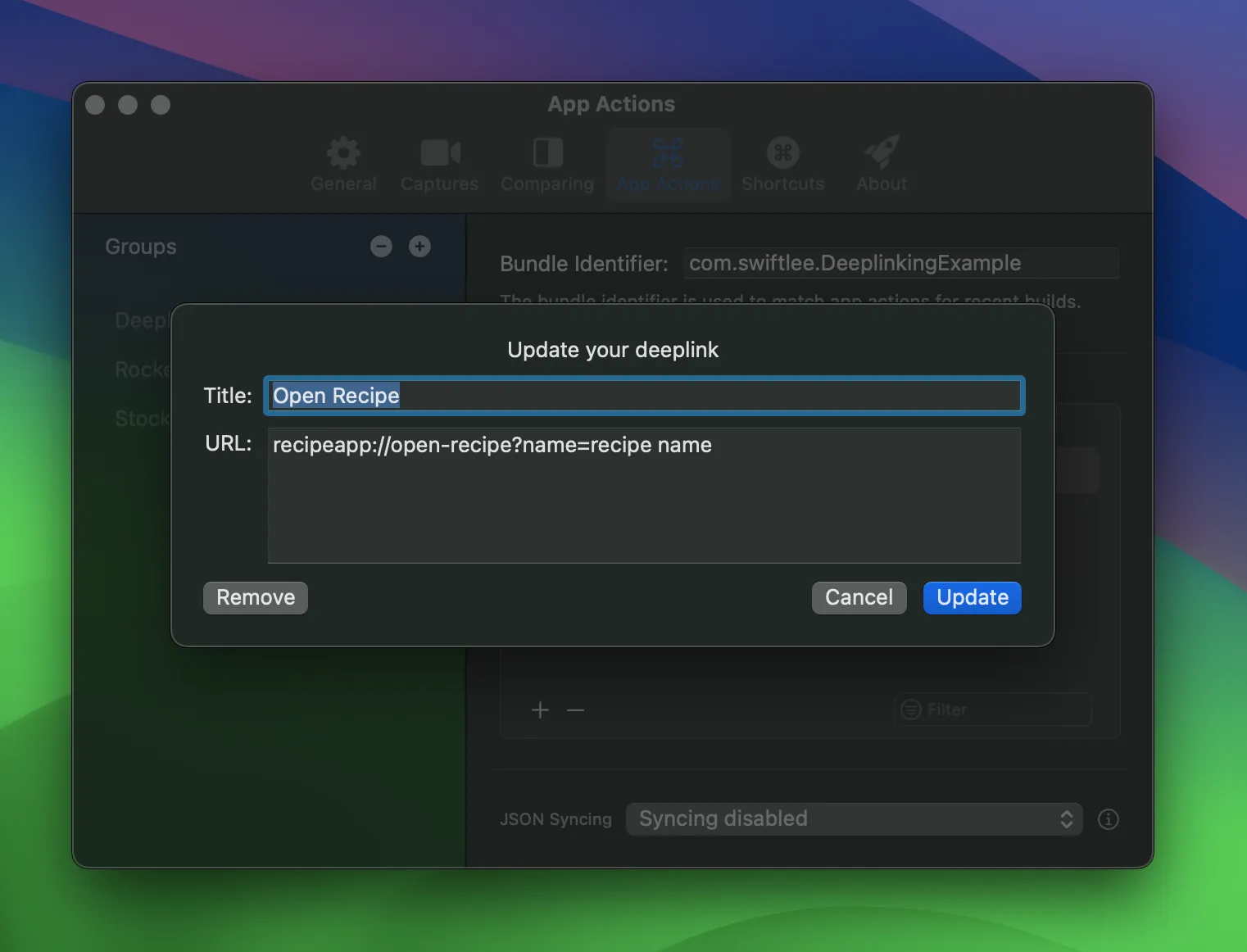
Open Settings
-
Select the App Actions tab
-
Create a new deeplink inside your app’s group:
-
Open the Simulator
-
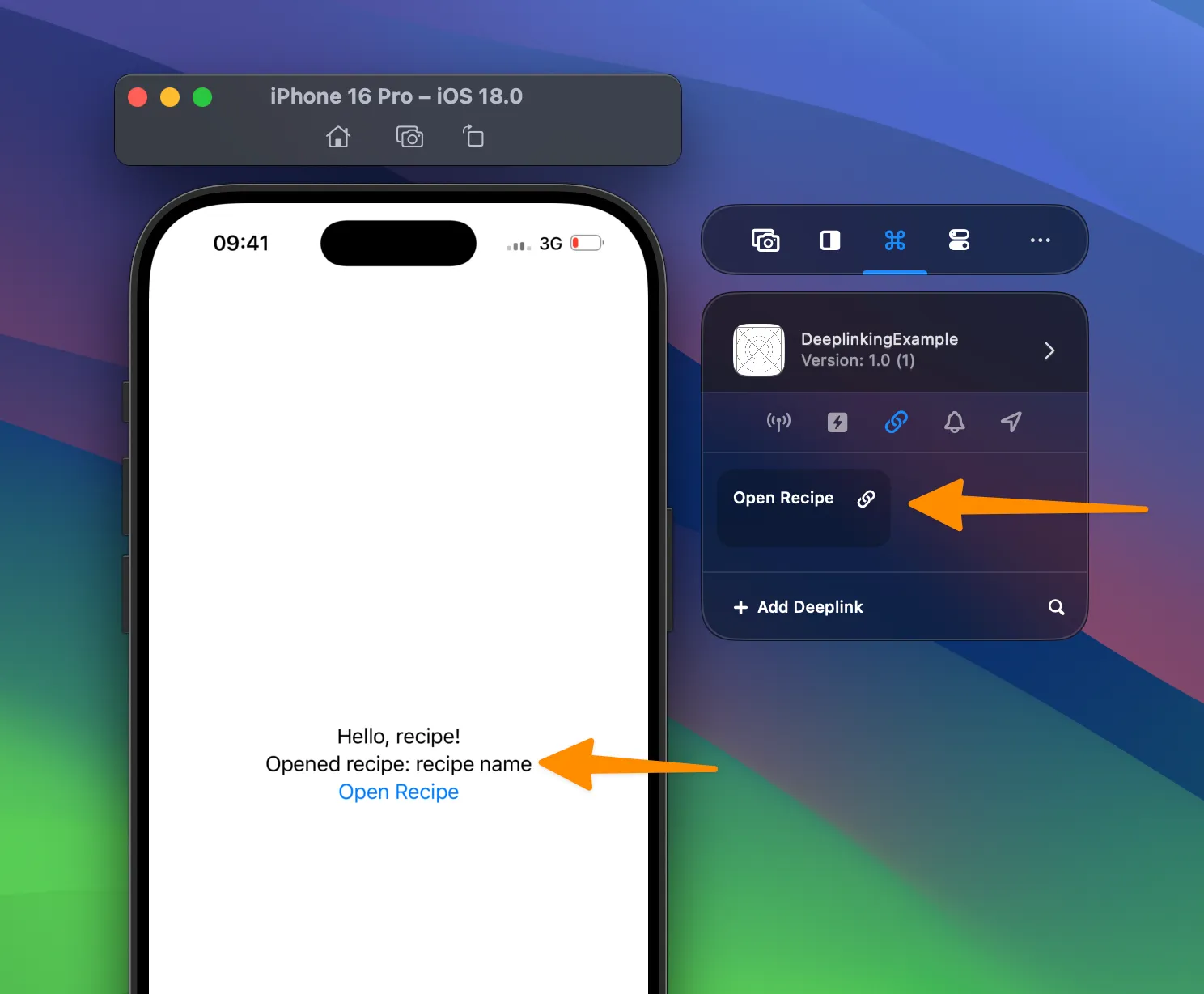
Execute the action by tapping your deeplink from the side window:
Deeplinks with arguments
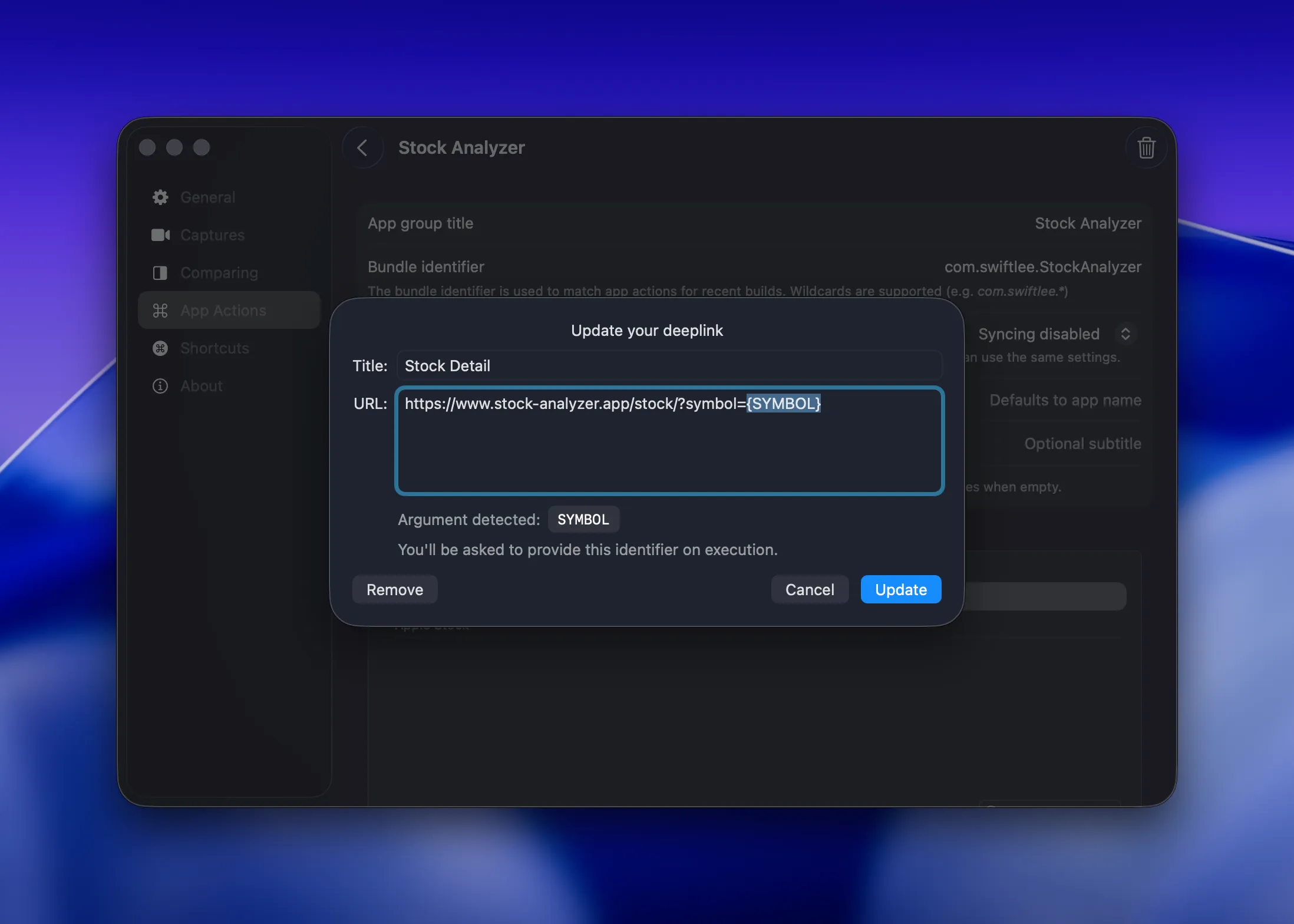
Section titled “Deeplinks with arguments”RocketSim 15.1 adds support for a single runtime argument inside a deeplink URL. Use curly braces to mark the placeholder, for example stocks://analyze/{SYMBOL}.
That makes it easy to keep one reusable deeplink around for many test cases instead of saving a separate action per symbol, product ID, or user identifier.
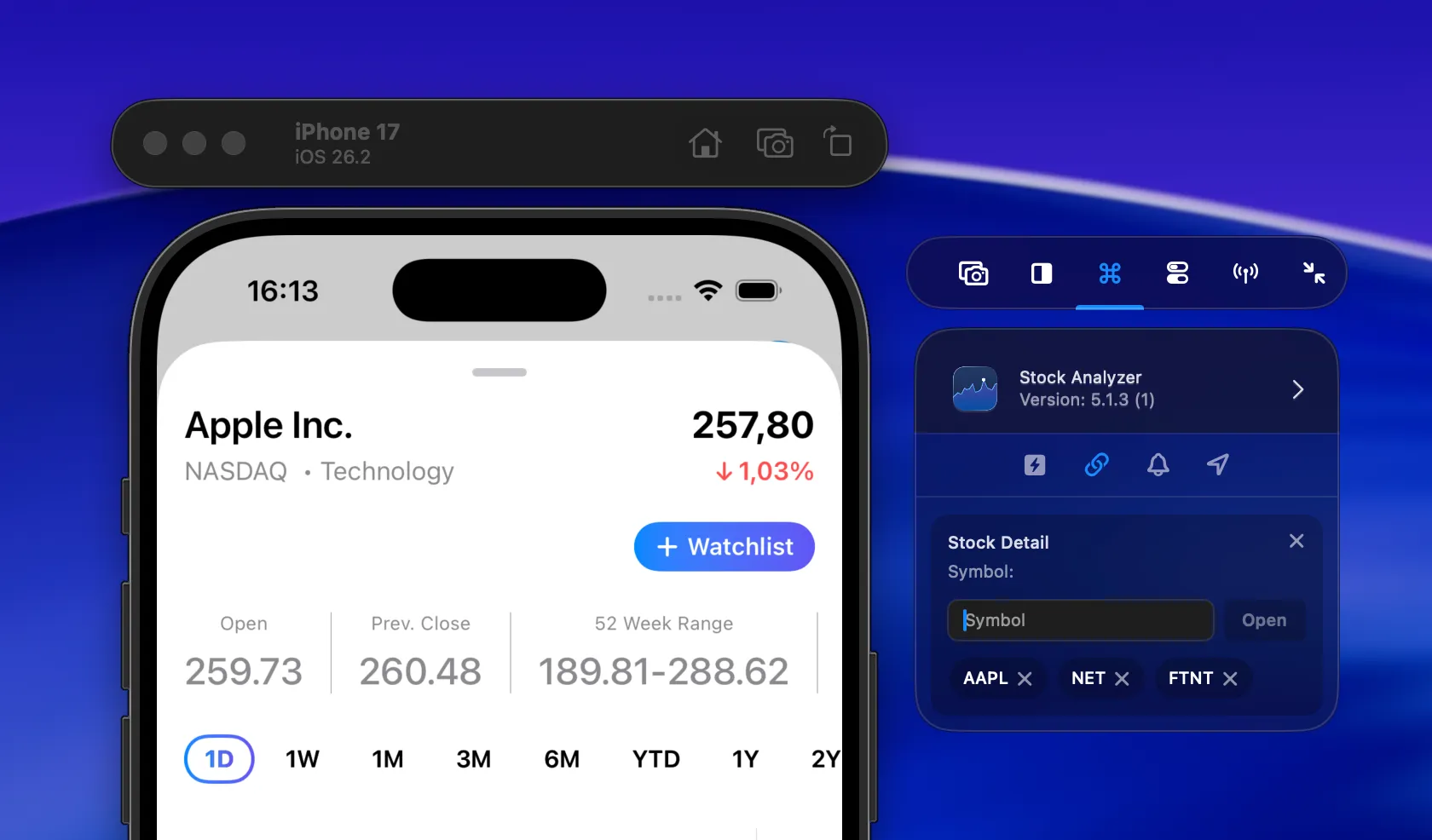
When you trigger that deeplink from the side window, RocketSim opens a compact input view right there in the Simulator context. Enter the value you want to use and RocketSim substitutes it into the final URL before launching your app.
RocketSim also keeps recently used values as quick relaunch actions, so repeating the same test case only takes one click. RocketSim 16.4.2 preserves long arguments without truncating the important URL text. The history wraps long values across rows, keeps up to six recent entries, and becomes vertically scrollable when needed.
Test deep links on a physical device
Section titled “Test deep links on a physical device”Starting with RocketSim 16.4 and Xcode 27, the Deeplinks tab is also available for apps run on a connected physical iPhone or iPad. RocketSim discovers the installed build, matches it by bundle identifier, and opens the selected URL through Xcode’s device-control service.
See Deep-Link Testing on a Physical Device for requirements, step-by-step setup, and troubleshooting Universal Link associations.
Learn more
Section titled “Learn more”If you’d like to learn more about deeplinks and Universal Links, I encourage you to read the following articles: