

Privacy & Permissions
Grant, revoke, and reset app permissions on the iOS Simulator. Test camera, location, contacts, photos, and 15 other permission states without reinstalling.
Testing permission flows is one of those things that’s surprisingly tedious. You need to verify that your app handles denied permissions gracefully, that the permission dialog shows up at the right time, and that your onboarding flow works after a fresh permission state. RocketSim makes this fast.
Supported Permissions
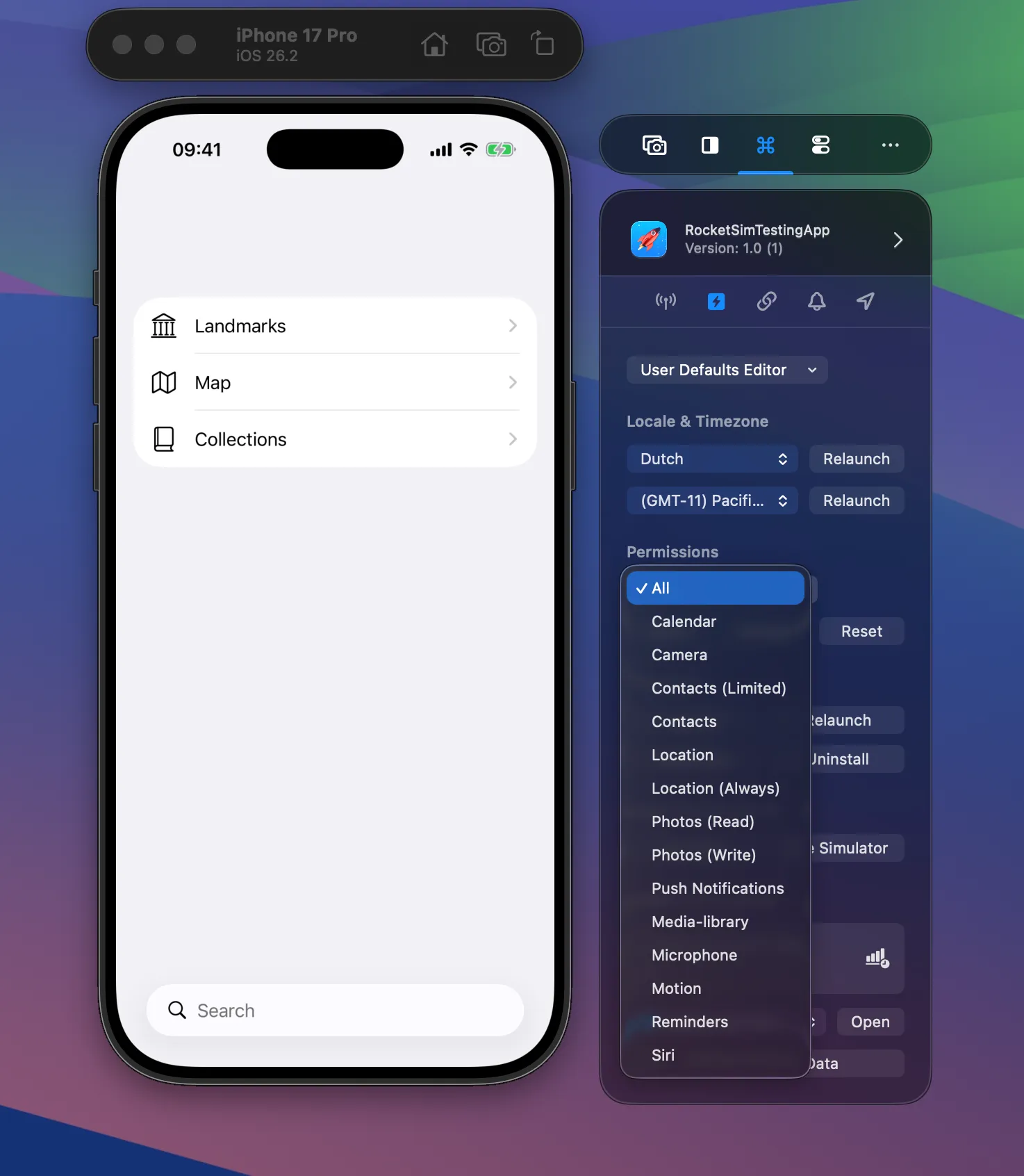
Section titled “Supported Permissions”RocketSim supports all 15 permission types: Calendar, Camera, Contacts (Limited), Contacts, Location, Location Always, Photos (Read), Photos (Write), Push Notifications, Media Library, Microphone, Motion, Reminders, and Siri. Use All for bulk actions across permissions.
Actions
Section titled “Actions”Grant (available to all users) sets the permission without showing a dialog. Revoke (Pro) denies the permission. Reset (Pro) returns to the “not determined” state so the system dialog appears again on next use.
Push Notification Reset — Unique to RocketSim
Section titled “Push Notification Reset — Unique to RocketSim”This is the standout feature. When you implement push notification support, you typically show a page explaining why notifications are needed, then the user accepts. To re-test that flow, you’d normally have to uninstall and reinstall the app.
With RocketSim, press Reset for push notifications and test again immediately. This drastically speeds up the testing cycle. It works because RocketSim directly modifies the Simulator’s internal BulletinBoard configuration — something xcrun simctl privacy doesn’t support for push notifications.
Where to Find It
Section titled “Where to Find It”Available from both the side window (under the permissions picker) and the status bar menu.