

Deep Links & Universal Links
Test deep links and universal links on the iOS Simulator. Save, organize, and trigger your app's URL schemes and associated domains from RocketSim's side window.
A deeplink or Universal Link allows you to redirect users to a specific location of your app. A common example is opening a map location in WhatsApp, which will directly open inside Apple Maps.
The same functionality can be built into your apps. I’ve seen developers manage all supported deeplinks in notes, reminders, or hosted HTML pages. With RocketSim, you can now manage all supported deeplinks in a single place, accessible for all Simulators.
Creating a deeplink (Universal Link)
Section titled “Creating a deeplink (Universal Link)”-
Open Settings
-
Select the App Groups tab
-
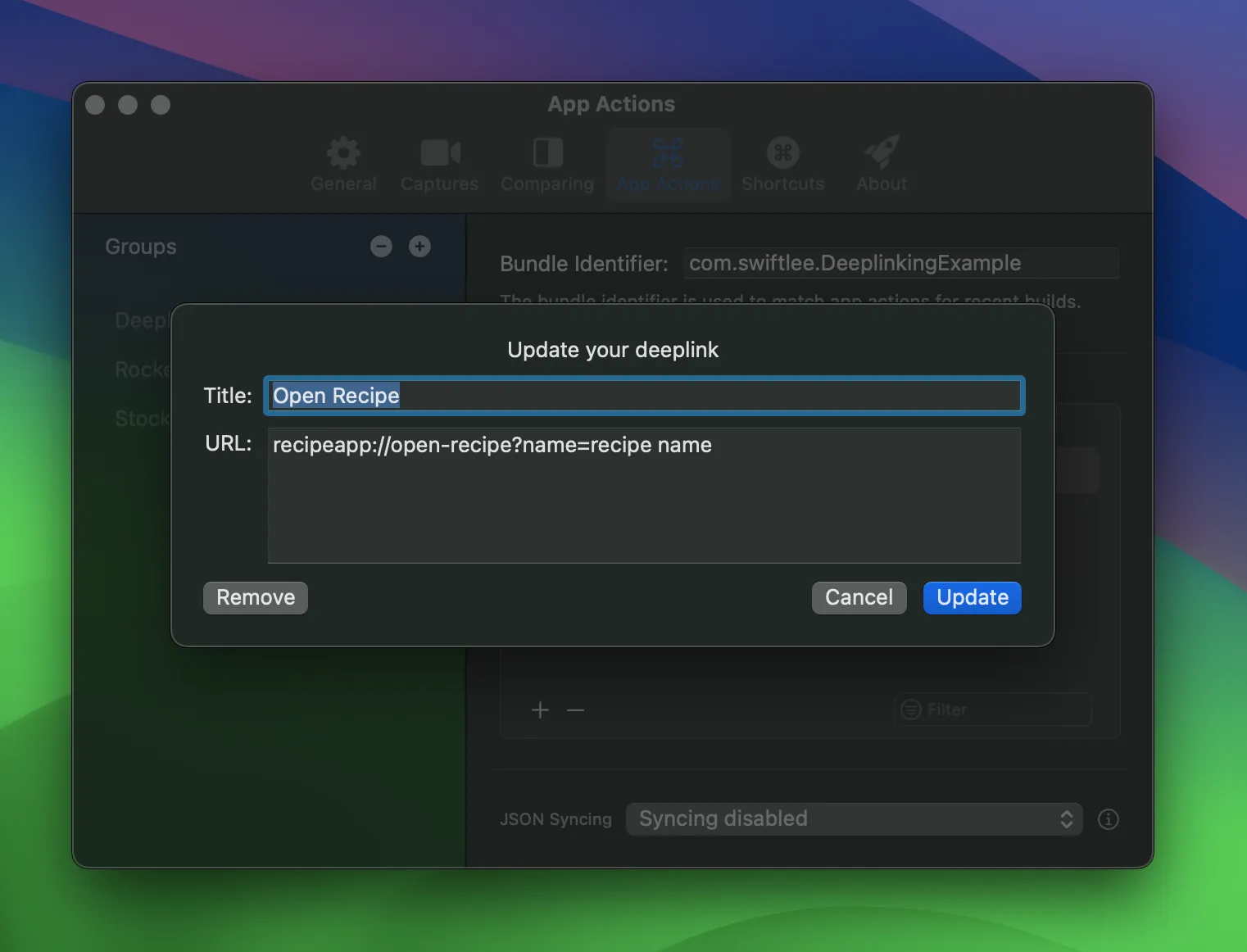
Create a new deeplink inside your app’s group:
-
Open the Simulator
-
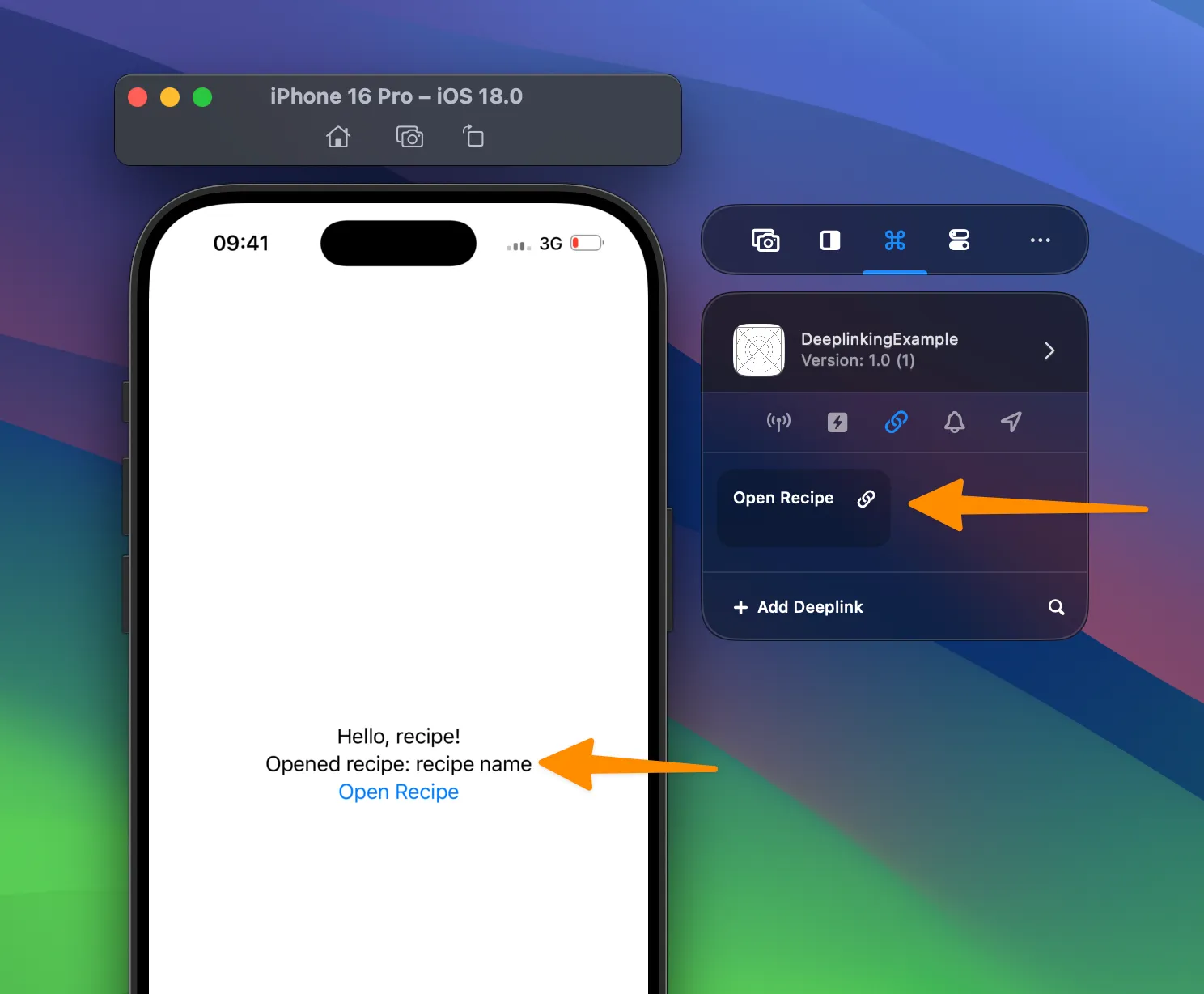
Execute the action by tapping your deeplink from the side window:
Learn more
Section titled “Learn more”If you’d like to learn more about deeplinks and Universal Links, I encourage you to read the following articles: