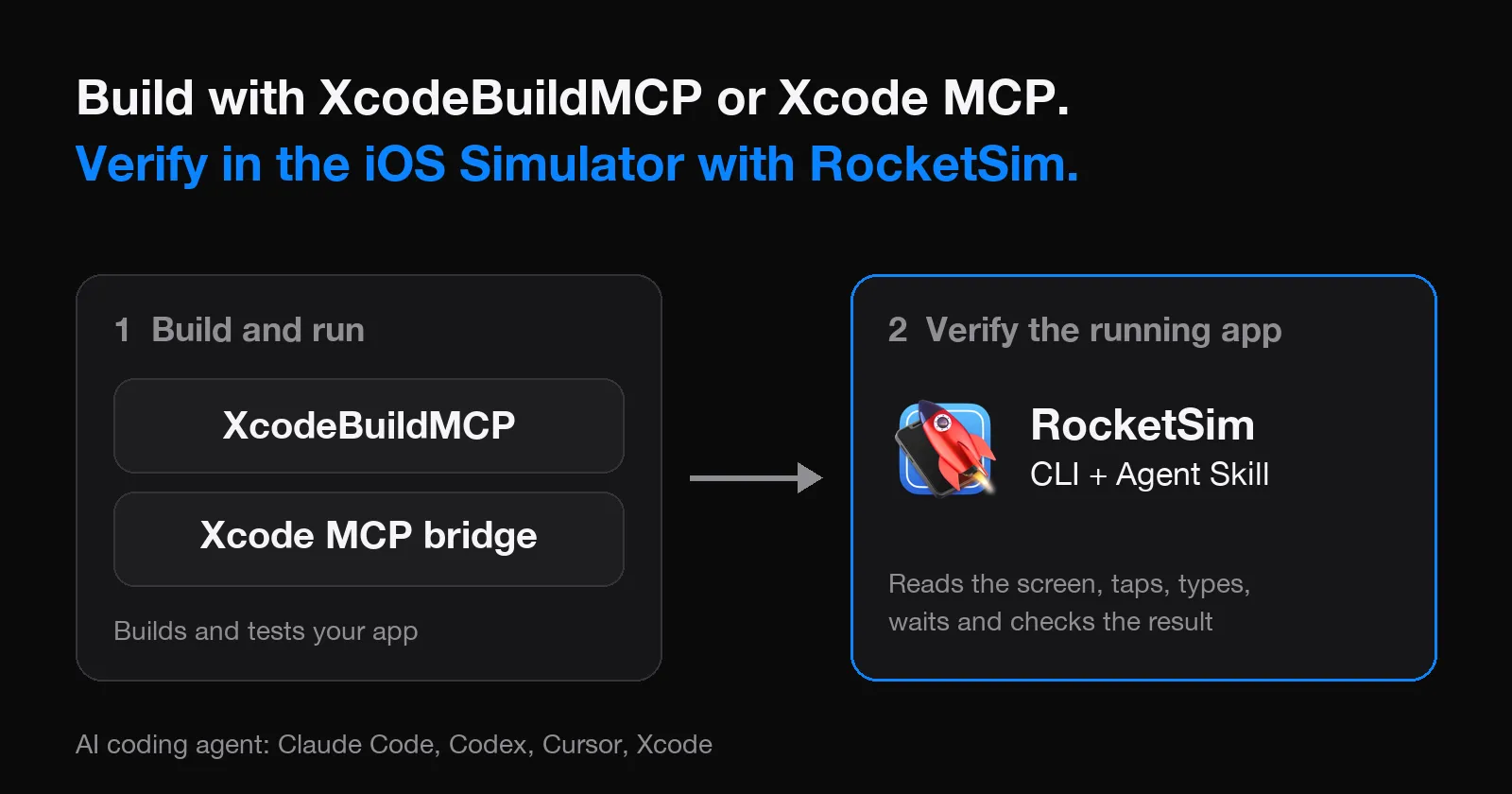
XcodeBuildMCP and Apple’s Xcode MCP bridge give an AI agent the build side of iOS development, such as building your app and running tests. RocketSim covers what comes after: it lets the agent read, navigate, and verify the running app in the iOS Simulator through a CLI and an Agent Skill. In practice, you use one of the build tools to get the app running and RocketSim to check what it does.
I make RocketSim, so keep that in mind. XcodeBuildMCP also has Simulator UI tools, and our benchmark compared them, so I will tell you where the tools overlap. One naming note first: since version 2.7.1, XcodeBuildMCP is called MobileBuildMCP. I keep using the old name because the benchmark in this article tested XcodeBuildMCP 2.7.0.
What do XcodeBuildMCP, Xcode MCP, and RocketSim each do?
The three tools sit at different points of the agent loop. Everything in the table comes from each tool’s own documentation.
| Topic | XcodeBuildMCP | Xcode MCP bridge | RocketSim CLI and Agent Skill |
|---|---|---|---|
| How the agent reaches it | MCP server and CLI | MCP server provided by Xcode, started with xcrun mcpbridge | CLI commands guided by an Agent Skill |
| Builds your app | Yes, for example build_sim and build_run_sim | Yes, Apple lists building your app as an example | No, you use Xcode or your build tooling |
| Reads and interacts with the running app | Yes, in the simulator and opt-in ui-automation workflows | Not described on Apple’s page | Yes, elements, taps, typing, swipes, waits, and screenshots |
| Install | Homebrew or npm | Allow external agents in Xcode, then add xcrun mcpbridge | RocketSim → Settings → CLI & Agent |
What is XcodeBuildMCP?
XcodeBuildMCP is a Model Context Protocol server and CLI for agents working on iOS and macOS projects. Its tools are grouped in workflows. The default enabledWorkflows value is ["simulator"], which includes tools such as build_run_sim, test_sim, screenshot, and snapshot_ui.
The build_run_sim tool builds the scheme, installs the app on a booted Simulator, and launches it. Other workflows, which you enable yourself, add LLDB debugging, device tools, and the ui-automation tools for tap, swipe, type_text, and more. XcodeBuildMCP requires macOS 14.5 or later and Xcode 16 or later. You can install it with Homebrew or npm and connect it to Claude Code, Cursor, Codex, and other clients.
For Claude Code, the documented command is:
claude mcp add MobileBuildMCP -- npx -y mobilebuildmcp@latest mcpXcodeBuildMCP also has an opt-in xcode-ide workflow that connects to Xcode’s own MCP server, which is the topic of the next section.
What is Xcode’s MCP bridge?
Apple describes the setup in Giving external agents access to Xcode. You allow external agents in Xcode → Settings → Intelligence → Model Context Protocol by turning on Allow external agents to use Xcode tools. Then you register the xcrun mcpbridge command with your agent:
claude mcp add --transport stdio xcode -- xcrun mcpbridgecodex mcp add xcode -- xcrun mcpbridgeApple says to open your project in Xcode before you prompt the external agent. Xcode alerts you when the agent connects and when it is active. Apple also suggests adding hints about Xcode and your project to files such as AGENTS.md or CLAUDE.md.
Cursor’s Xcode documentation describes the same bridge for Cursor and lists tools for reading and editing files, building, running tests, rendering SwiftUI previews, and searching Apple documentation. Those tools work on your project and Xcode itself.
Where does RocketSim fit next to them?
RocketSim stays connected to the running Simulator and exposes it through the RocketSim CLI. The RocketSim Agent Skill teaches the agent when to read elements, when to wait, and when to fall back to a screenshot. With both installed, your agent can:
- Read the visible accessibility elements in compact rows
- Tap, type, swipe, scroll, and press hardware buttons, preferably by label instead of coordinates
- Wait for the screen to change before it reads again
- Take screenshots and record videos
- Run
rocketsim accessibility-auditon the visible screen - Answer Face ID prompts and open a live Browser Preview
RocketSim does not build, install, or launch your app. That is the reason the tools fit together: XcodeBuildMCP or the Xcode bridge produces a running app, and RocketSim works with the app that is already on screen. You can read the details in Agentic Development with RocketSim.
How do you combine them?
Start with the build side. Either connect XcodeBuildMCP or enable Apple’s bridge as described above, and make sure your agent can build and launch your app. Then add RocketSim:
- Open RocketSim → Settings → CLI & Agent
- Install the Command Line Tool in a folder on your
PATH - In Agent Skill, choose General Agents for broad support, or Agentic Coding in Xcode for Xcode’s built-in Claude Agent or Codex integration
- Restart your tool if it does not detect the new skill
- Run
rocketsim doctorto check the setup
If you use Claude Code, Codex, or Cursor, Claude Code iOS Simulator Setup, Including Codex and Cursor lists the skill destination for each tool. Now ask for the full loop in one prompt:
Build and run <your_app_name> in the Simulator. Then use RocketSim to open the settings screen and verify that the new toggle is visible.If you use XcodeBuildMCP’s ui-automation workflow as well, the agent has two ways to tap through the app. I suggest telling your agent in AGENTS.md or CLAUDE.md which tool to use for building and which one to use for Simulator interaction. Apple suggests adding hints to those files for the Xcode bridge as well.
What did our benchmark show against XcodeBuildMCP?
We benchmarked RocketSim 16.4.2 build 326 against AXe 1.8.0 and XcodeBuildMCP 2.7.0, driven through its MCP server interface, in July 2026. The scenarios and method are in How We Test AI Agents for the iOS Simulator.
Over the fourteen scenarios both tools ran head-to-head, XcodeBuildMCP produced 3.0× RocketSim’s tool-response bytes, an 8.2× higher byte-based context estimate, and finished 171.5 seconds slower in total. That means RocketSim took a smaller share of your agent’s context in these scenarios. RocketSim used more command turns: XcodeBuildMCP needed 0.79× as many turns.
Capability coverage differed too. Face ID and two-finger input were RocketSim-only, and XcodeBuildMCP 2.7.0 sat out six of the twenty scenarios. No tool had a perfect run, including RocketSim. The context figure is a byte-based estimate, not actual model tokens, and the benchmark covers version 2.7.0 only. I have not measured later versions.
XcodeBuildMCP builds on AXe and adds state management and compact output, and credit goes to its author for that design. The comparison above is about Simulator interaction. It says nothing about building, testing, or debugging, which RocketSim does not do.
Frequently asked questions
Is XcodeBuildMCP the same as MobileBuildMCP?
Yes. The project was renamed from XcodeBuildMCP to MobileBuildMCP in version 2.7.1. The GitHub repository is getsentry/MobileBuildMCP, and the npm package and CLI command are called mobilebuildmcp.
Does Xcode have an MCP server?
Yes. Xcode provides an MCP server for external agents through xcrun mcpbridge. You turn on Allow external agents to use Xcode tools in Xcode’s Intelligence settings and keep your project open in Xcode while the agent works.
Can RocketSim build my app?
No. RocketSim does not build, install, or launch your app. Use Xcode, XcodeBuildMCP, or your own build tooling, then let the agent use RocketSim on the running app.
Do I need RocketSim if XcodeBuildMCP already has UI tools?
Not necessarily. If its UI automation covers your flows, you can stay with one tool. RocketSim is worth a look when you want compact element output, an accessibility audit, Face ID answers, or one setup that also works in Cursor, Claude Code, Codex, and Xcode’s built-in agents.
Does RocketSim work with Xcode’s built-in agents?
Yes. Choose Agentic Coding in Xcode in Settings → CLI & Agent, which installs the skill for Xcode’s built-in Claude Agent or Codex integration. Restart Xcode afterwards.
Where can I read more about setting up my agent?
Claude Code iOS Simulator Setup, Including Codex and Cursor covers the setup per tool. iOS Simulator MCP vs CLI and Agent Skill explains how an MCP server and a CLI differ.
Conclusion
XcodeBuildMCP and Xcode’s MCP bridge get your agent to a built and running app. RocketSim picks up from there and lets the agent navigate and verify that app in the iOS Simulator. If you already use one of the build tools, adding RocketSim does not replace it.
If you want your agent to check the app it just built, install RocketSim from the Mac App Store, then open Settings → CLI & Agent to install the command line tool and Agent Skill. You can see everything the agent can do on the agentic development feature page. For a general introduction, read AI Agents for the iOS Simulator. Feel free to contact us or open an issue on GitHub if you have a workflow your agent struggles with.
Thanks!