See What Your AI Agent Sees

Preview the iOS Simulator in your browser, leave precise visual feedback, and let coding agents navigate with token-efficient commands

iOS Simulator Browser Preview

Review your app and guide AI agents from your browser

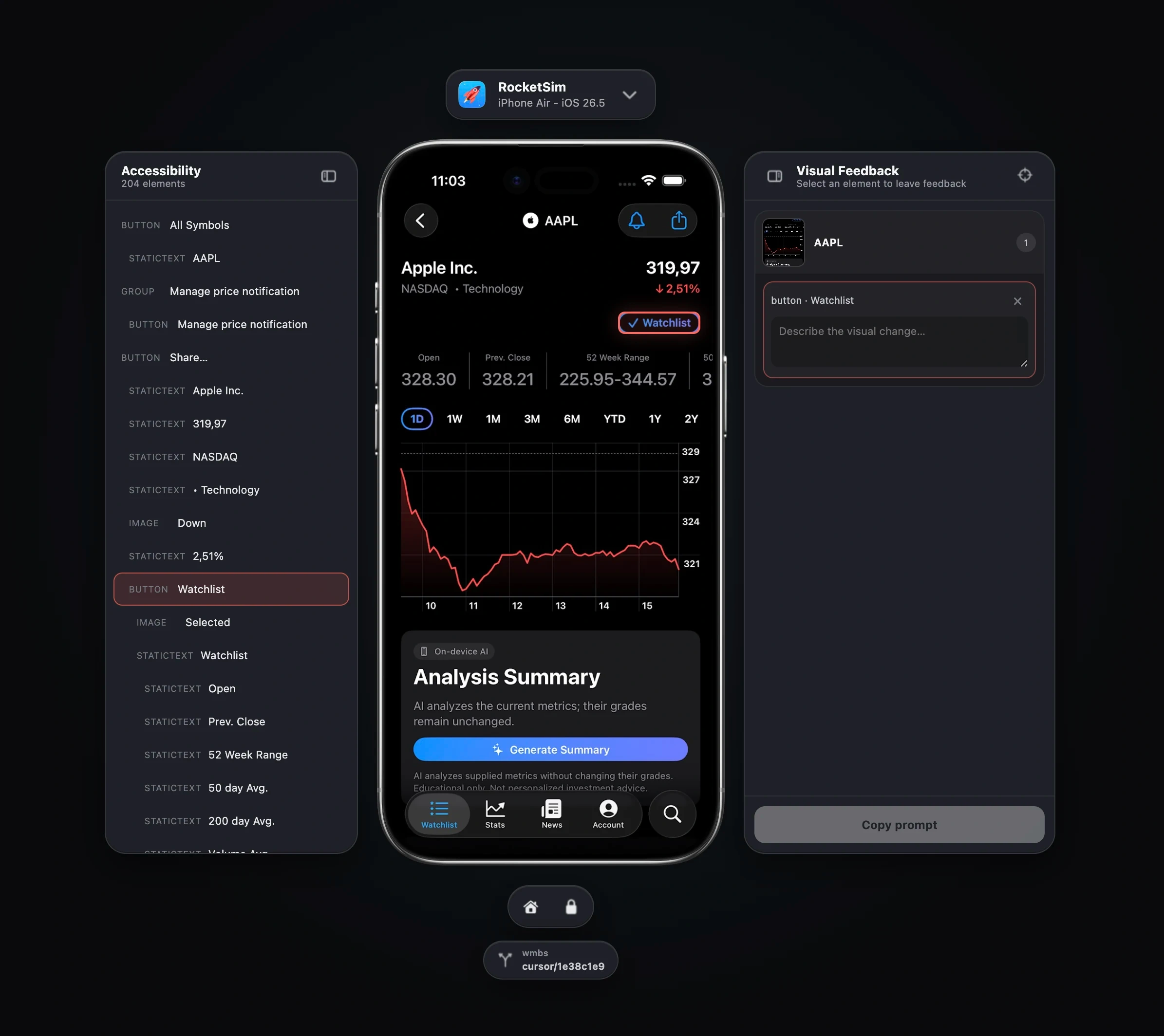
Open a live, interactive iOS Simulator in your browser using RocketSim. Review the app yourself or follow your AI coding agent without bringing Simulator.app to the foreground.

  • Click, drag, scroll, and type in the live Simulator
  • Inspect accessibility elements and their frames
  • Attach visual feedback to one or more screens
  • Copy a structured prompt with precise implementation context
  • Follow agent-driven navigation in a user-visible browser
Learn more

RocketSim Browser Preview showing an accessibility tree, a live iPhone Simulator, and visual feedback for a selected Watchlist button.

Agentic iOS development

Let your AI coding agent see and control the Simulator

RocketSim ships a version-matched rocketsim CLI and Agent Skill so Cursor, Xcode, Claude, Codex, and other AI coding tools can inspect and interact with your running Simulator app.

  • Read compact nav, act, and debug screen summaries
  • Tap, activate, swipe, scroll, type, use multitouch, and press hardware buttons
  • Answer Face ID prompts and test offline or poor-network states
  • Batch known steps while RocketSim refreshes screen state
  • Validate setup with rocketsim doctor
  • Keep the CLI and Agent Skill in sync through app updates

Compared with other tools available to control the iOS Simulator, RocketSim produced over 99% less command output, had an about 95% lower byte-based context estimate, and used about 24% less measured command time in our July 2026 head-to-head benchmark.

Learn more

Ready to Build Apps Faster?

Boost your productivity and streamline your workflow with our powerful Xcode Simulator tools. Developers report building, testing, and verifying apps up to 2x faster with RocketSim.