Physical Device Testing

Bring repeatable RocketSim workflows to real iPhones and iPads—without leaving your Mac

Test on a physical iPhone or iPad

Bring repeatable app testing to real hardware without leaving your Mac.

  • Open saved deep links and Universal Links on a connected iPhone or iPad
  • Simulate coordinates and routes through Xcode 27
  • Test automatic system time-zone changes from simulated locations
  • Launch, relaunch, terminate, localize, or uninstall a recent device build
Learn more

Real-device previews and captures

Connect an iPhone or iPad over USB and keep real-device output beside your development workflow.

  • Mirror the device in a dedicated live preview
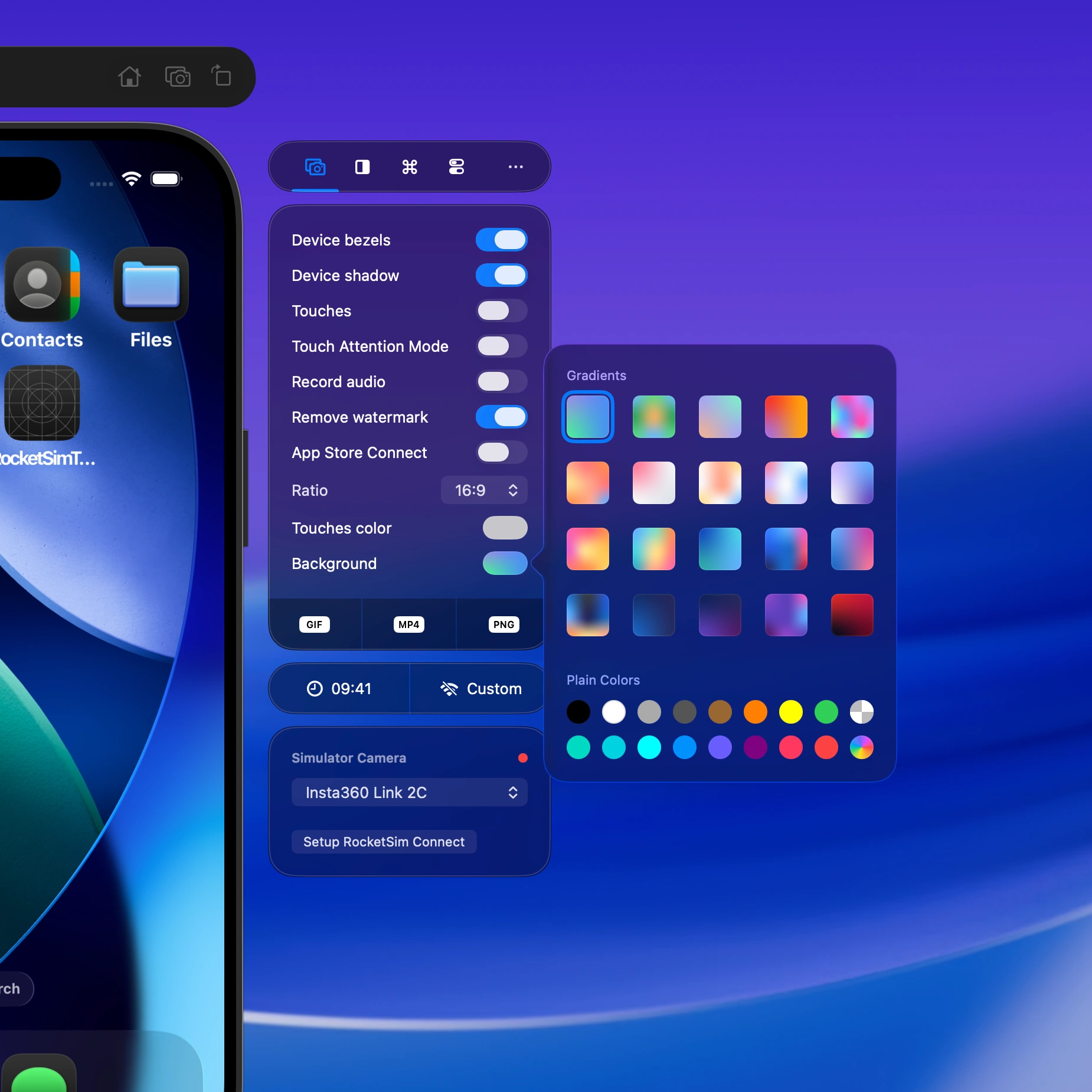
  • Capture screenshots, GIFs, and video with audio
  • Apply grids, rulers, and design comparison on real hardware
  • Preserve familiar RocketSim capture and post-editing workflows

Learn more

RocketSim capture controls beside a physical iOS device preview.

Recent Builds on real devices

Select an app you ran from Xcode and use the actions supported by that physical target.

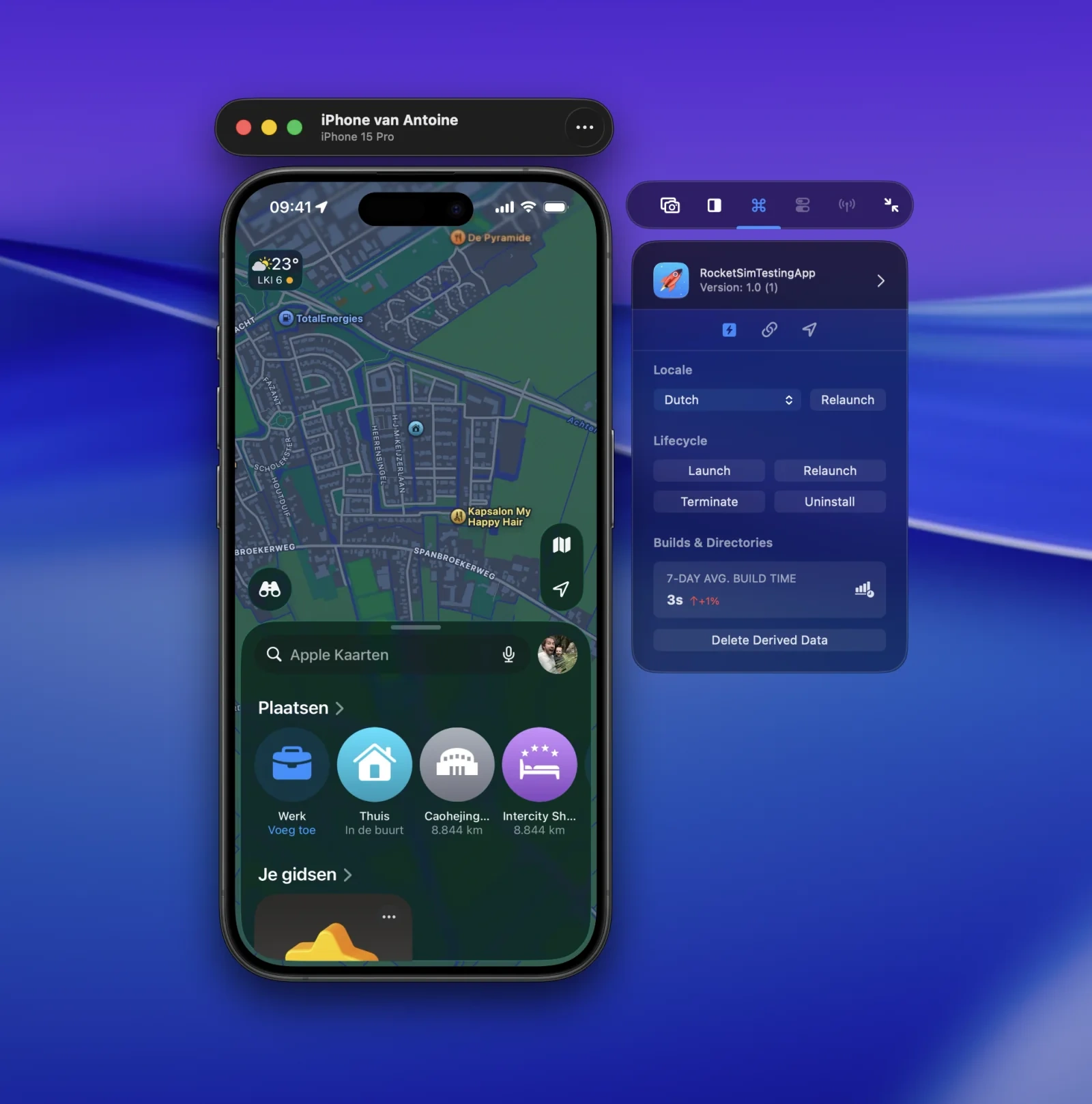
  • Launch, relaunch, terminate, or uninstall the app
  • Relaunch with one of the app’s supported locales
  • Refresh installed builds automatically after an Xcode run
  • Keep Simulator-only actions hidden when the physical device cannot perform them

Learn more

RocketSim Recent Builds actions for an app running on a physical iPhone or iPad.

Location and time-zone testing

Test location-aware behavior on real hardware using coordinates and saved scenarios.

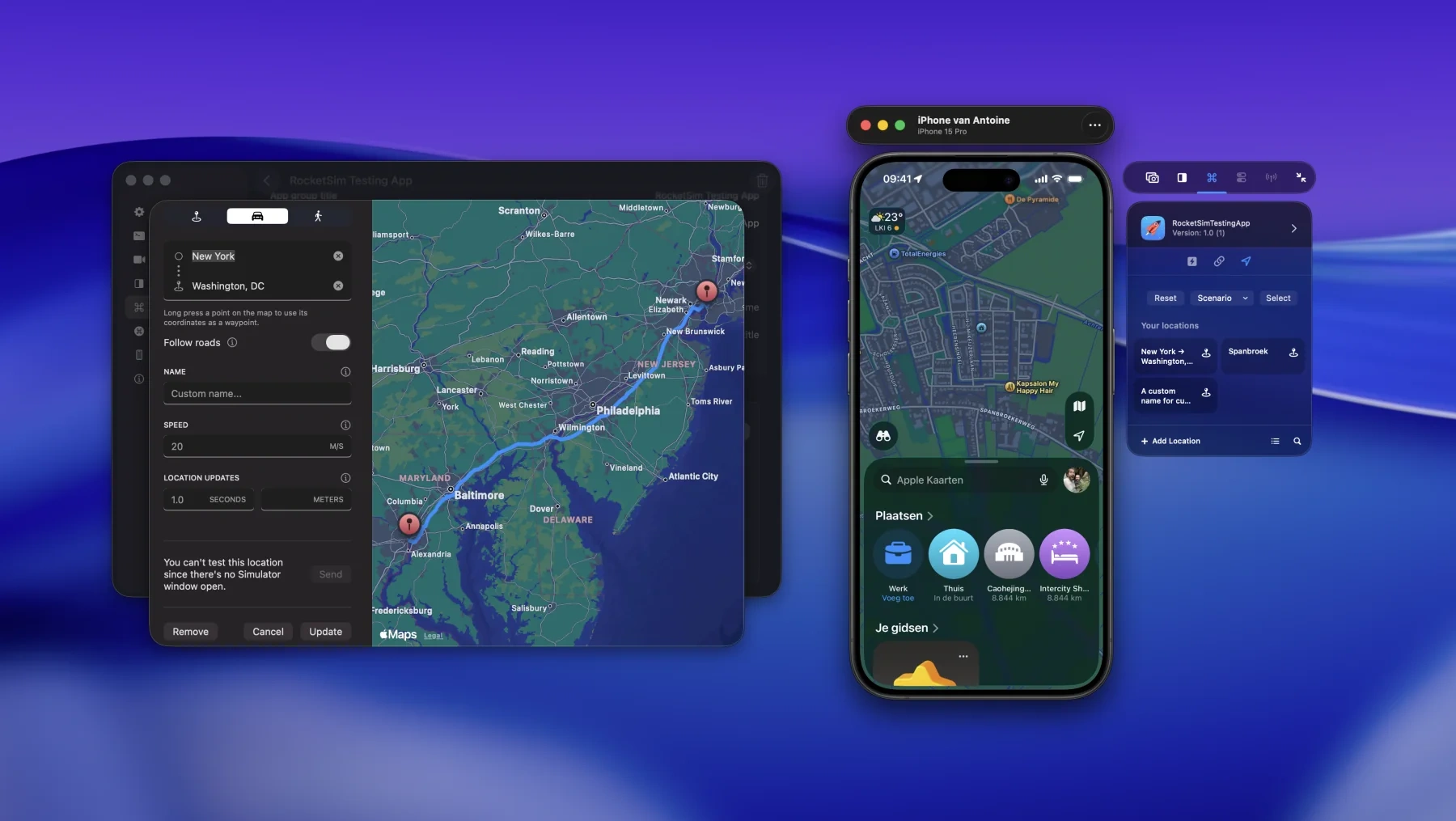
  • Simulate a location on a connected iPhone or iPad
  • Reuse saved locations across Simulator and physical-device testing
  • Test automatic system time-zone changes with Xcode 27
  • Clear the simulation to return the device to its real location

Learn more

RocketSim location simulation controls used to test an app on a physical iOS device.

Deep links on real hardware

Open custom URL schemes and universal links on a connected physical device.

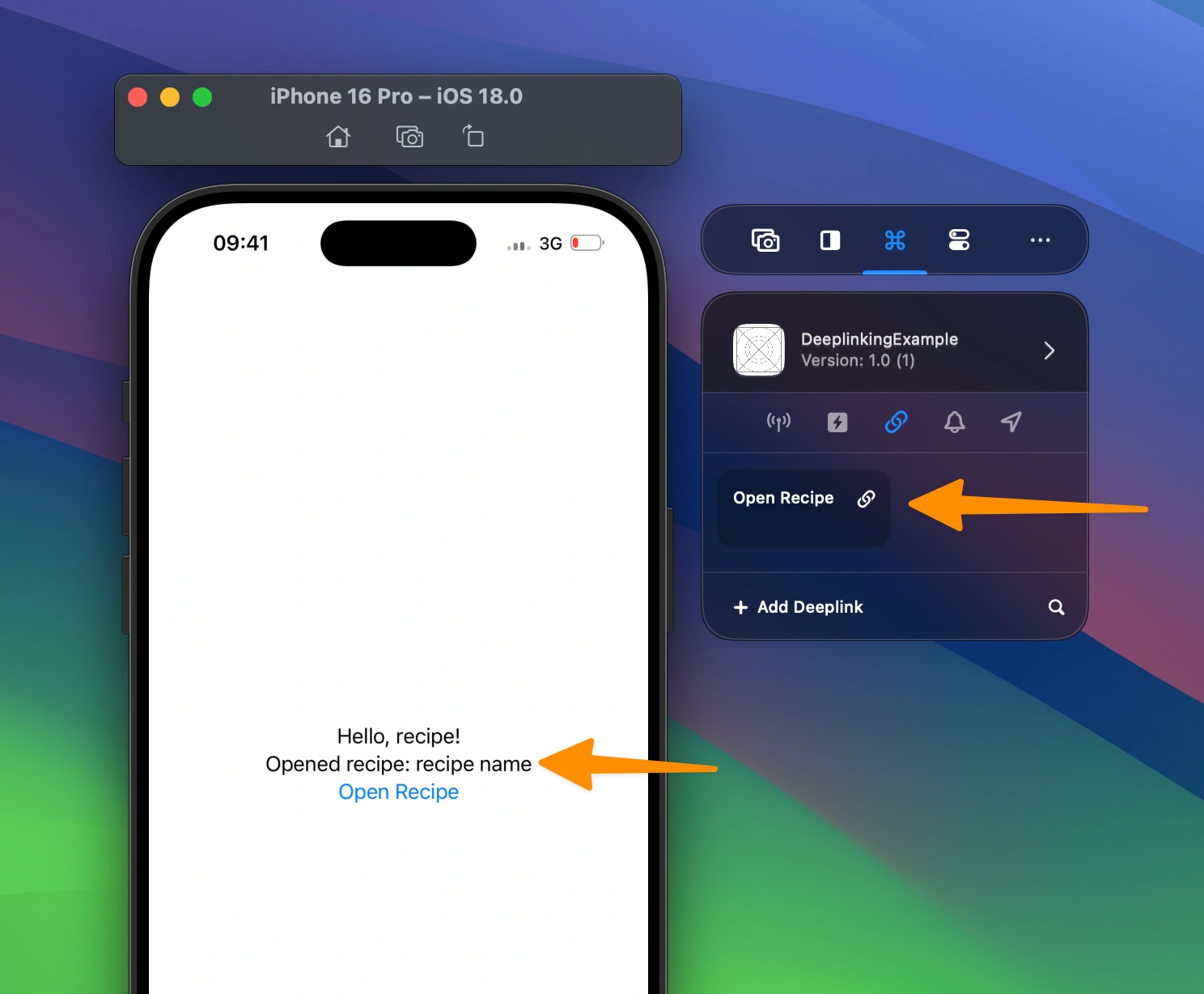
  • Send deep links without manually typing on the device
  • Reuse URLs with RocketSim’s dynamic variables
  • Compare routing behavior between Simulator and real hardware
  • Repeat navigation tests from the same desktop workflow

Learn more

RocketSim deep-link testing controls for a physical iPhone or iPad.

Ready to Build Apps Faster?

Boost your productivity and streamline your workflow with our powerful Xcode Simulator tools. Developers report building, testing, and verifying apps up to 2x faster with RocketSim.