
Check your email to confirm your subscription—don’t forget to check your spam folder too!
Set up RocketSim for your agent
RocketSim gives your AI coding agent a fast, token-efficient way to navigate the iOS Simulator. You install the command line tool and the Agent Skill once from RocketSim's settings, and your agent runs every command for you.
-
Open the CLI & Agent settings
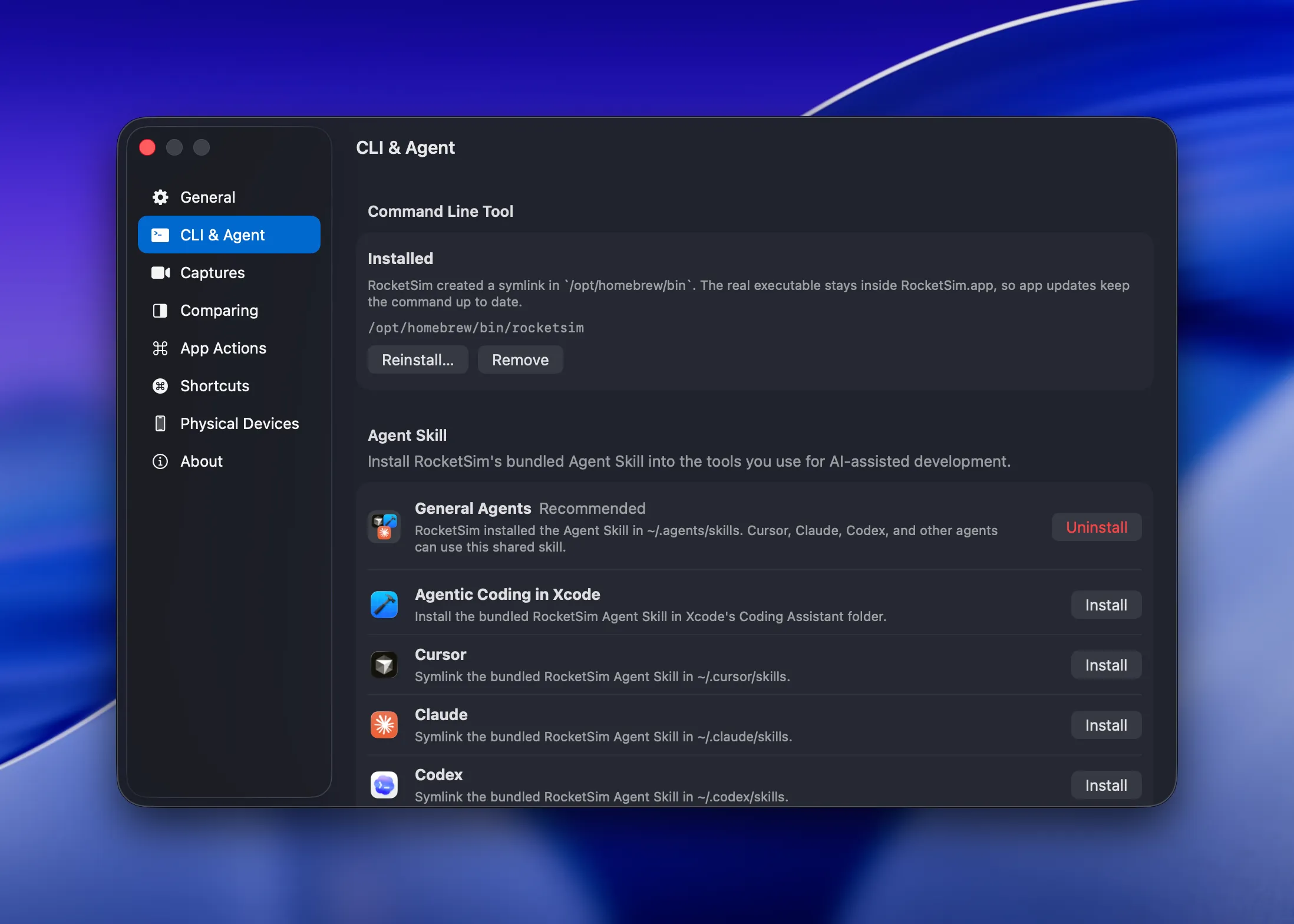
In RocketSim, open Settings → CLI & Agent. The command line tool and the Agent Skill are installed from this one screen.
-
Install the command line tool
In Command Line Tool, click Install Command Line Tool. Keep the default folder if it is on your
PATH, or pick one such as/opt/homebrew/binor/usr/local/bin, then confirm. This is the command your agent runs. You do not need to learn it.RocketSim creates a
rocketsimsymlink. The real executable stays insideRocketSim.app, so every App Store update keeps it current. -
Install the Agent Skill
An Agent Skill is a folder of instructions that an agent loads when a task needs it. RocketSim's skill teaches your agent the commands, when to read the screen, and how to recover when a screen changes. Choose General Agents for Cursor, Codex, and Claude Code, or Agentic Coding in Xcode for Xcode's built-in assistant, then click Install.
New to skills? How to write an AGENTS.md on AI Fundamentals explains how project instructions and skills work together. Restart your coding tool if it does not discover the skill right away. Like the command, the skill is a symlink into the app, so it updates with RocketSim.
-
Ask your agent to check the setup
Open a new chat in your coding tool and ask it to run the health check. This confirms that the agent finds the command, the RocketSim app, and a booted Simulator.
Prompt Run rocketsim doctor and tell me if RocketSim is ready for iOS Simulator navigation.What your agent runs
The health check your agent runs rocketsim doctorYou should see A result for every check. When something is missing,
doctorreports it, so your agent can fix it or tell you what to change.
Up next · Agentic Development
Tell your agent to use RocketSim
Add a short rule to AGENTS.md so agents always reach for RocketSim.
Learn it in minutes.
Use it on every task.
No signup. Works with Xcode 16+ and Xcode 27's Device Hub.