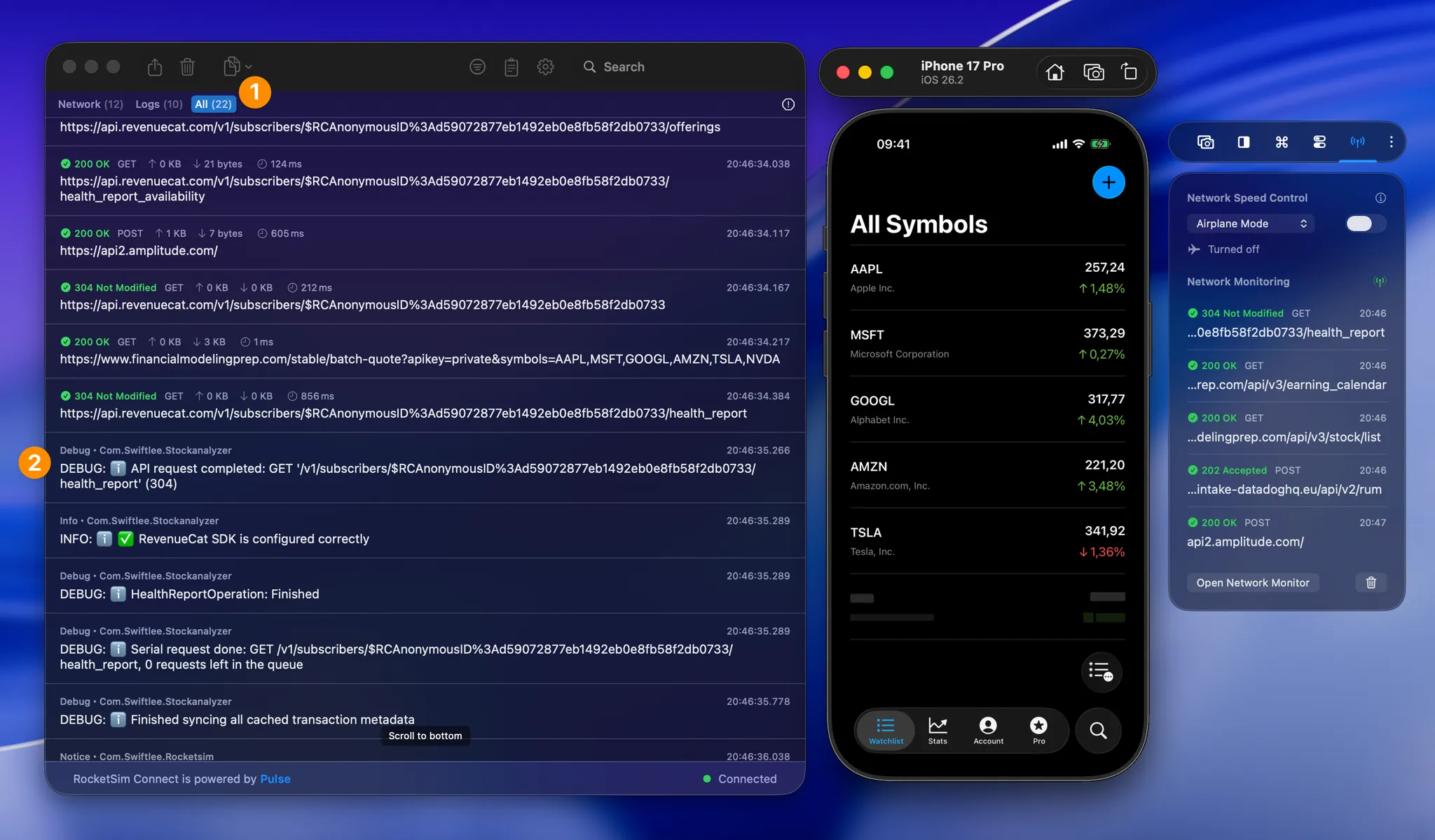
Configuring a proxy using many of the popular apps like Proxyman and Charles Proxy often requires you to install custom certificates. It’s when you’re running into an unexpected network failure when you’ve realized you didn’t have the proxy running.
We knew this workflow could be improved and aimed to design a new solution:
- No need for custom certificates
- Easy setup that always work
- A consistent network requests monitor to catch those issues when you don’t expect them
The result is what we call “Network Monitoring” and it’s demonstrated in the following video:
Setting up RocketSim’s Network Monitor
RocketSim works by connecting via Bonjour with your development app. The in-app setup guides you by providing a piece of code that will only run during debug builds.
Here’s an example (note: you need to use the code from the app, not this example):
private func loadRocketSimConnect() { #if DEBUG guard (Bundle(path: "/Applications/RocketSim.app/Contents/Frameworks/RocketSimConnectLinker.nocache.framework")?.load() == true) else { print("Failed to load linker framework") return } print("RocketSim Connect successfully linked") #endif}As you can see, the method will only run for debug builds due to the #if DEBUG. Secondly, this code works for every engineer in your team in case you’re using Team Licenses. At least, as long as they’ve installed RocketSim inside the /Applications directory, which we recommend!
Once you’ve copied the code, it’s time to run your app. Every time when you launch your app, RocketSim will connect directly. From that point on, all your network requests will be monitored in the background. There’s no impact on your app’s performance.
The latter is important to point out. We simply swizzle your network requests and send it over Bonjour in a background thread.
Your debugging partner when the unexpected happens
I’m sure you recognize this:
- You’re running your app during regular feature development
- An edge case occurs and suddenly your app doesn’t work as expected
- The app’s failure hints to an unexpected response failure, but you have no way to find out which request, or in which order they fired
These cases are no longer an issue. Now you can go back in time, find the exact order of requests that fired, and explore their responses.
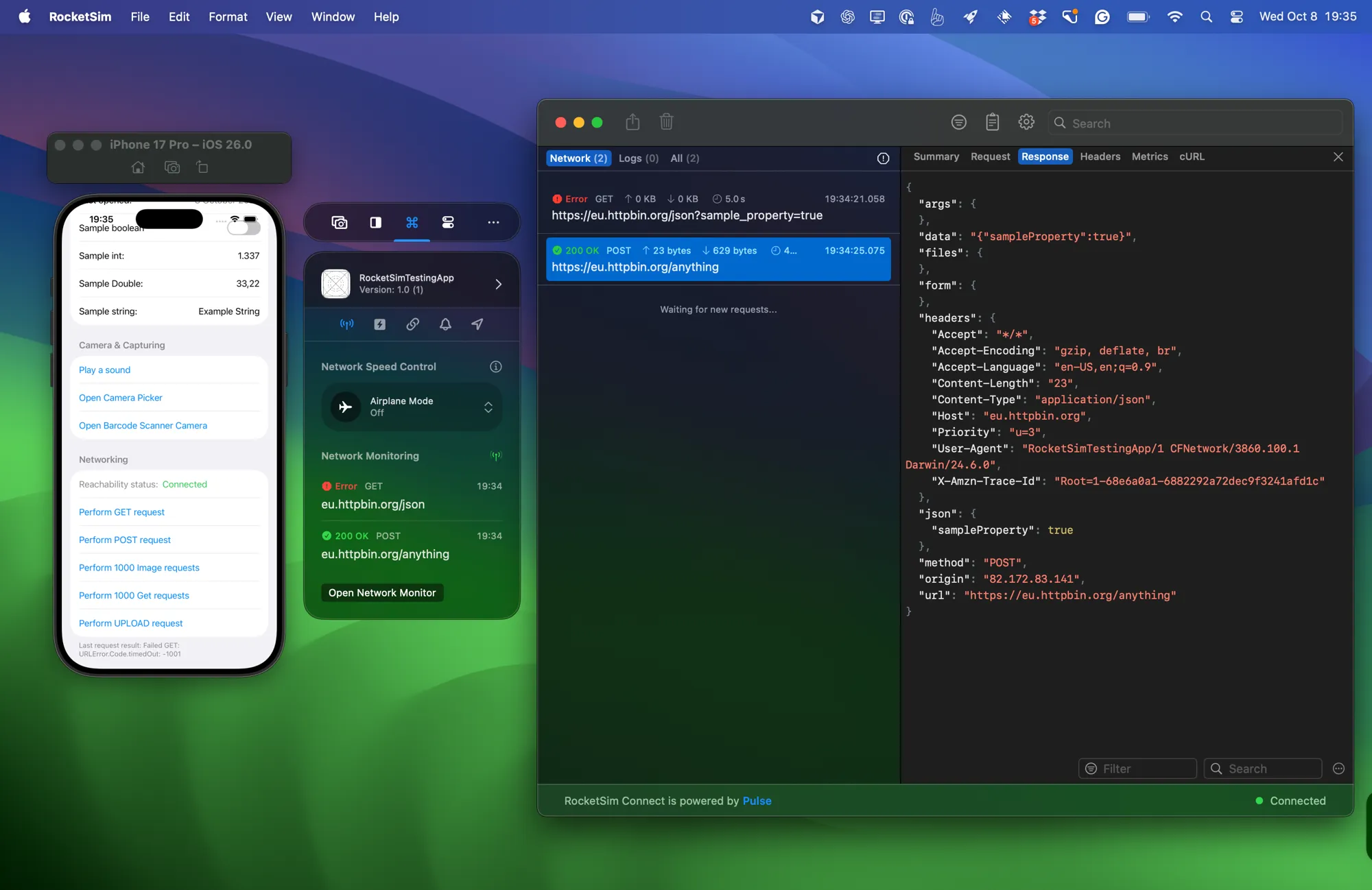
RocketSim’s Network Monitor in action, showing the response for one of the requests. A failed network request is also visible.
Here’s an example of such a scenario. The screenshot displays the JSON response of the successful request, but we can also see that the other request failed. Selecting that request shows that it failed due to a network error:
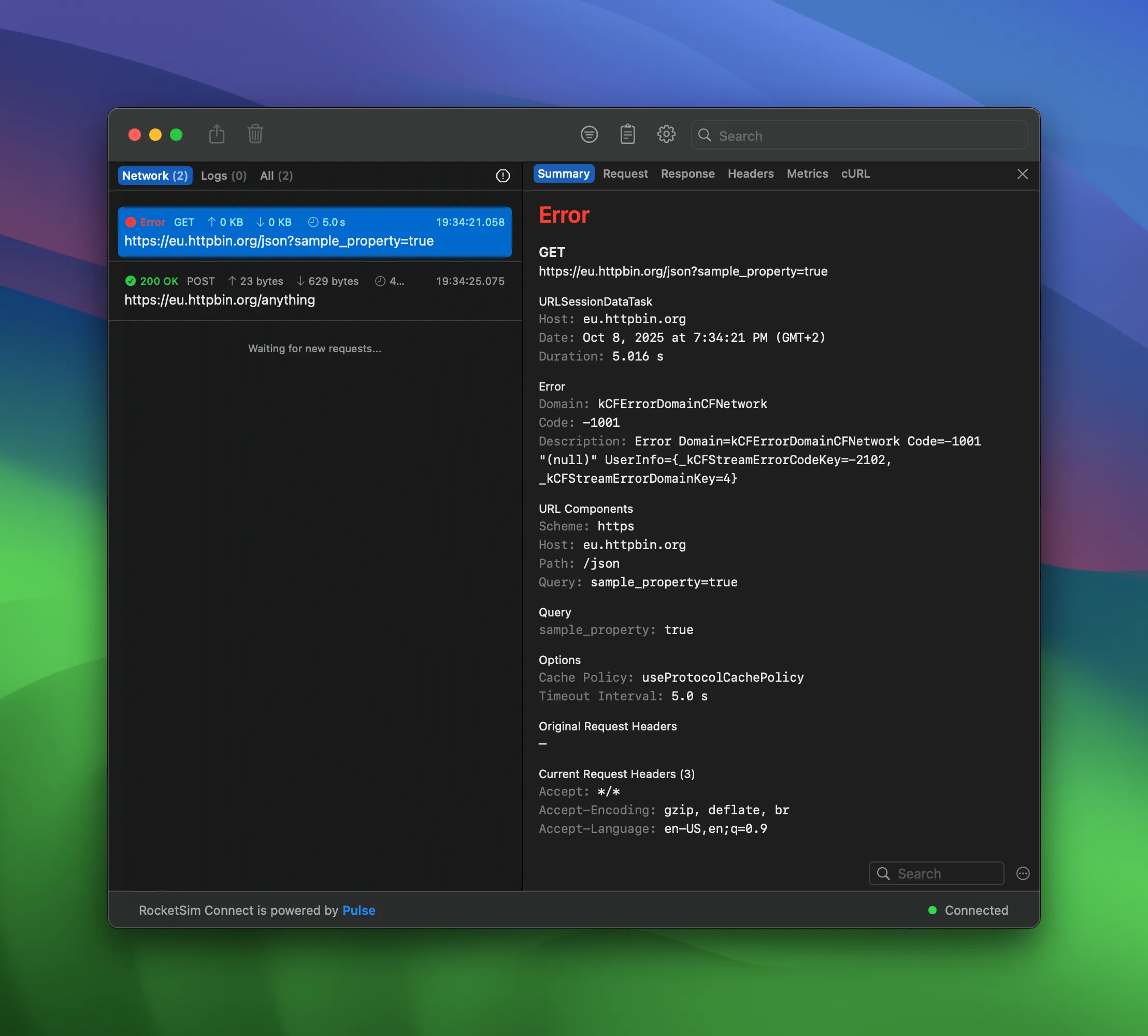
A failed URLSession network request as displayed inside RocketSim’s Network Monitor.
You don’t always have to dive into detail, though. We also show a quick overview in the side window:
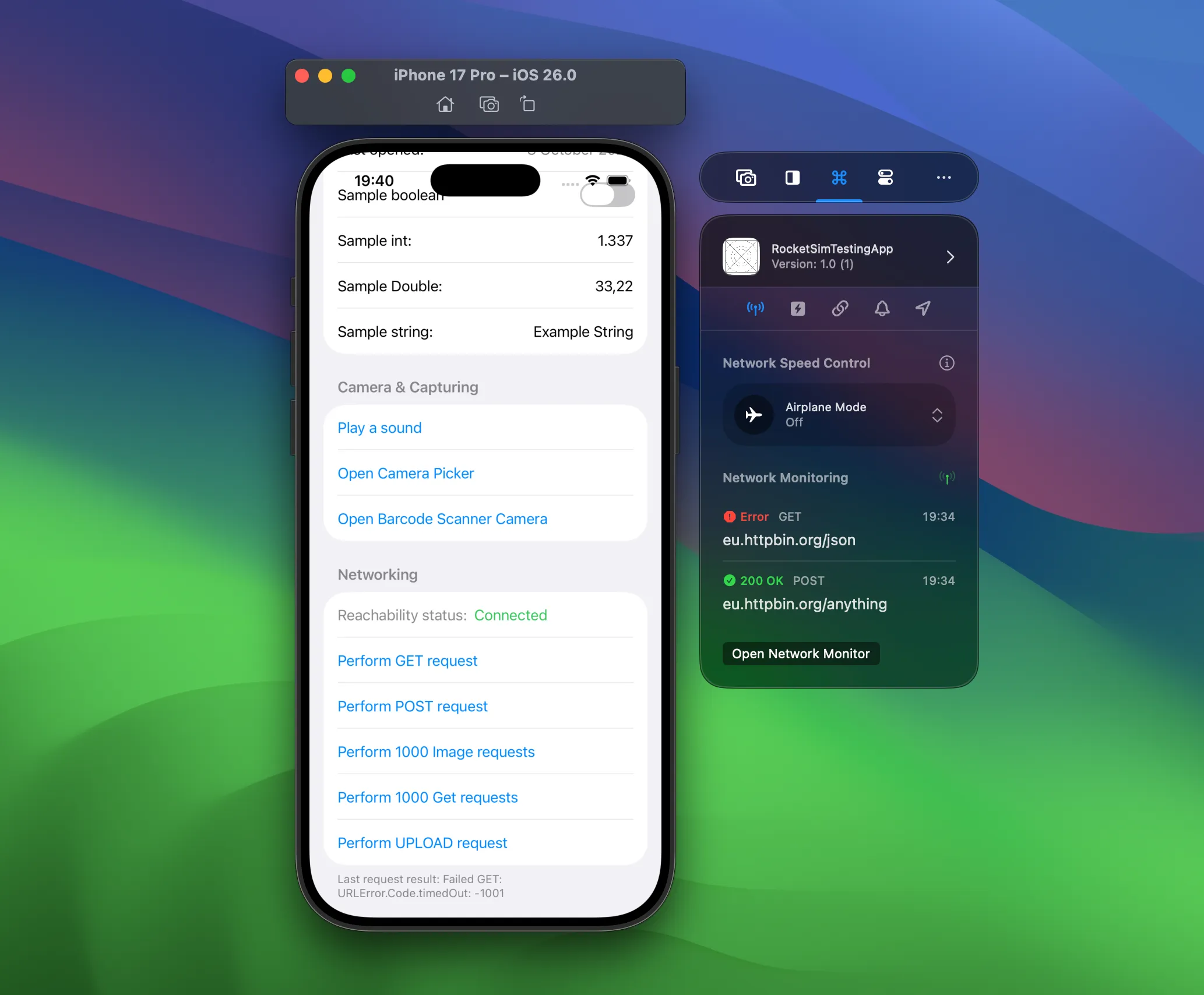
The side window shows a quick overview of requests fired from your app using URLSession.
Copy a failing request as cURL
A network bug rarely starts with “the backend is down.” More often, it is a missing header, an unexpected response body, a stale token, a validation error, or a request that fires at the wrong time.
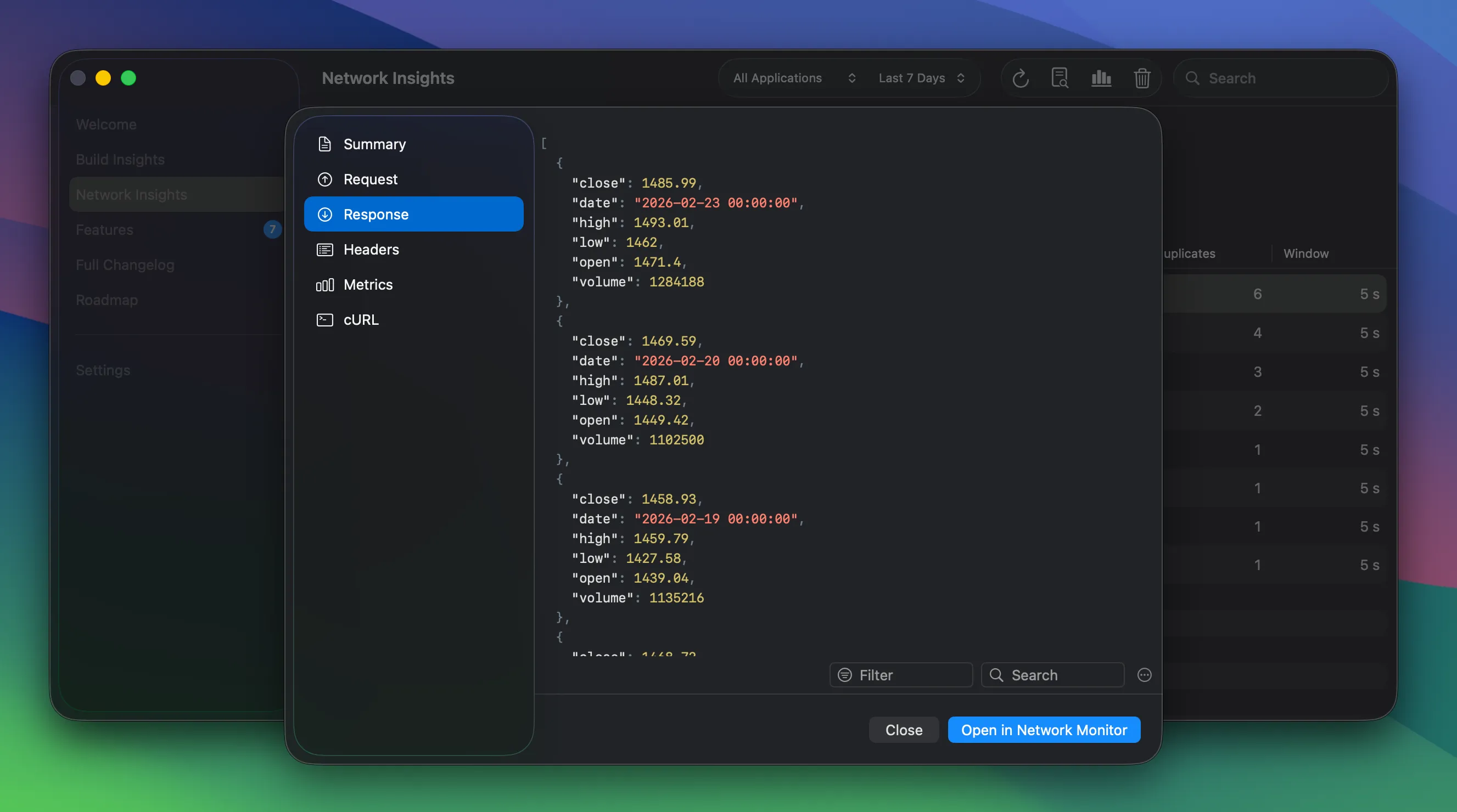
The request detail view gives you headers, response bodies, metrics, and a cURL export for the selected URLSession request.
Copying a request as cURL is especially useful when you need to share a failing call with a teammate or backend engineer. It moves the conversation from “something is wrong” to “this exact request returns this exact response.”
Find duplicate calls
Network debugging is not only about failures. A lot of app performance issues come from repeated or wasteful requests: the same endpoint fires when a view reappears, a list reloads too often, or a detail screen fetches more data than it needs.
Networking Insights gives you a historical view of those patterns. You can look for duplicate calls, caching opportunities, slow endpoints, failure spikes, and the most requested URLs across sessions.
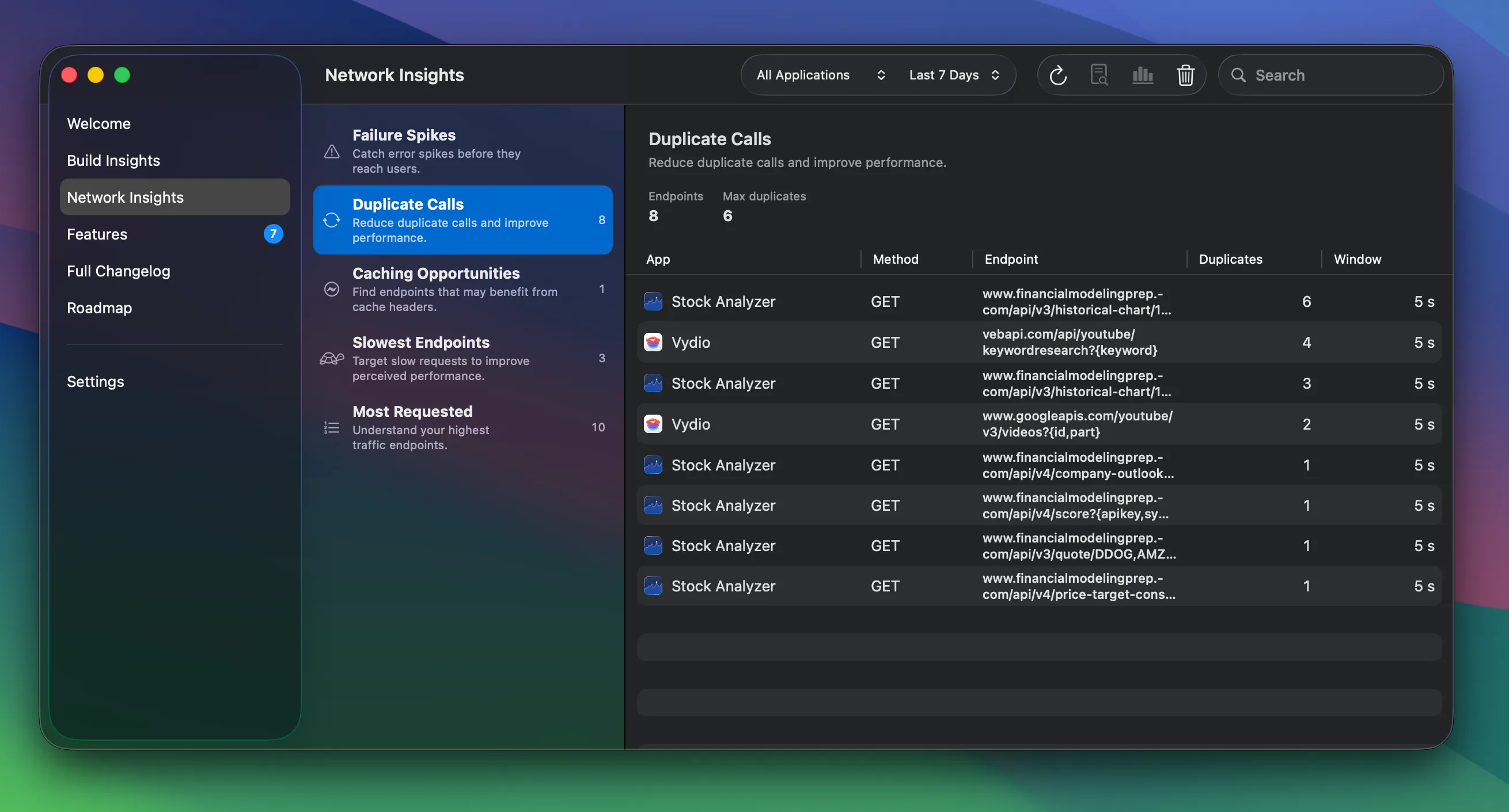
Networking Insights turns captured traffic into patterns you can act on, like duplicate calls, slow endpoints, and failure spikes.
This is the kind of debugging I like because it turns invisible waste into something concrete. You might feel that a screen is slow, but seeing five duplicate calls in a row makes the fix obvious.
Export requests to AI
RocketSim can also export network requests as redacted prompts for AI-assisted debugging. Instead of pasting raw request data into Claude or ChatGPT, you can use AI Network Request Prompts to generate focused summaries.
The built-in prompt types target common problems:
- Redundant calls & caching for duplicate requests and missing cache strategy
- Performance / overfetching for slow endpoints and oversized payloads
- Failures & error spikes for non-2xx responses and likely causes
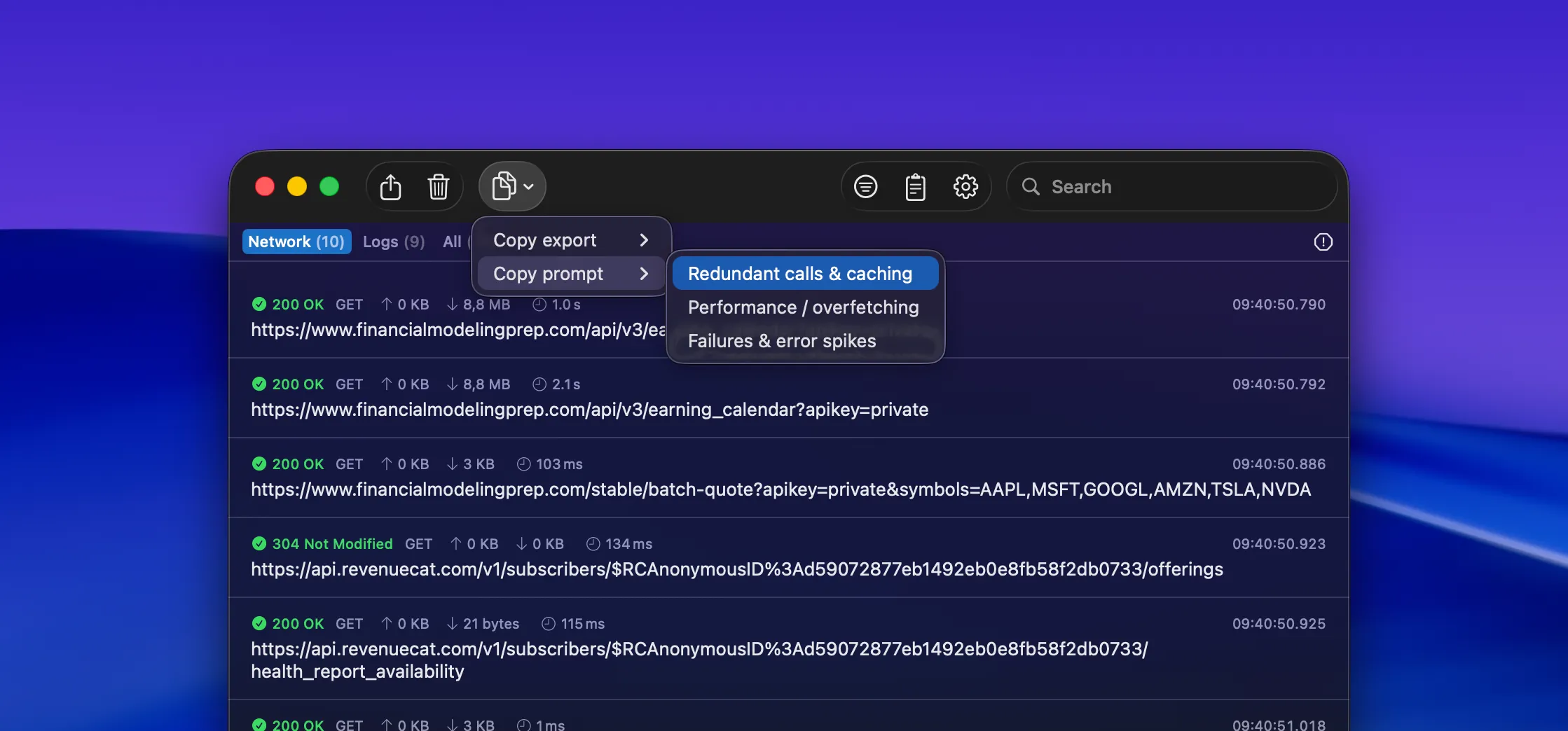
Copy export and Copy prompt turn a filtered request set into redacted, AI-ready debugging context.
The redaction is important. Network traffic often contains bearer tokens, user identifiers, or private payloads. RocketSim keeps the export compact and removes sensitive values so you can ask an AI assistant for help without dumping raw traffic into a chat.
Keep proxy tools for proxy-specific jobs
Proxy tools are still the right choice when you need proxy-specific power: response rewriting, breakpoints, advanced SSL inspection, or traffic from apps you cannot instrument. Tools like Charles Proxy and Proxyman are excellent for those jobs.
RocketSim is for the everyday debug-build loop. You are working on your own iOS app, running it in the Simulator, and you want request visibility without setup friction. That covers a lot of debugging sessions.
The nice part is that both workflows can exist together. Use RocketSim for the fast loop, then reach for a full proxy when the bug specifically needs proxy behavior.
Download RocketSim today and get started
You can get RocketSim from the Mac App Store, which allows you to try out the network monitor for free. If you want to dive deeper into the setup, follow the Network Monitor documentation.
Feel free to reach out on X/Twitter or open an issue on GitHub if you have ideas for better network debugging workflows. Thanks!