VoiceOver testing in the Simulator used to be one of those jobs I would postpone until the very end. You grab a device, enable VoiceOver, start swiping, lose context, and then go back to the Simulator to fix the issue you just found. RocketSim 15 changes that loop completely.
On top of that, this release makes Xcode Simulator recordings much more useful after capture. Instead of retaking a screenshot or video because the framing is slightly off, you can now post-edit the result directly inside RocketSim. Combined with a dedicated networking tools tab, a keychain reset action, localized App Store pages, and the first RocketSim CLI beta, this is easily the biggest RocketSim release I have shipped so far.
VoiceOver testing in the Simulator
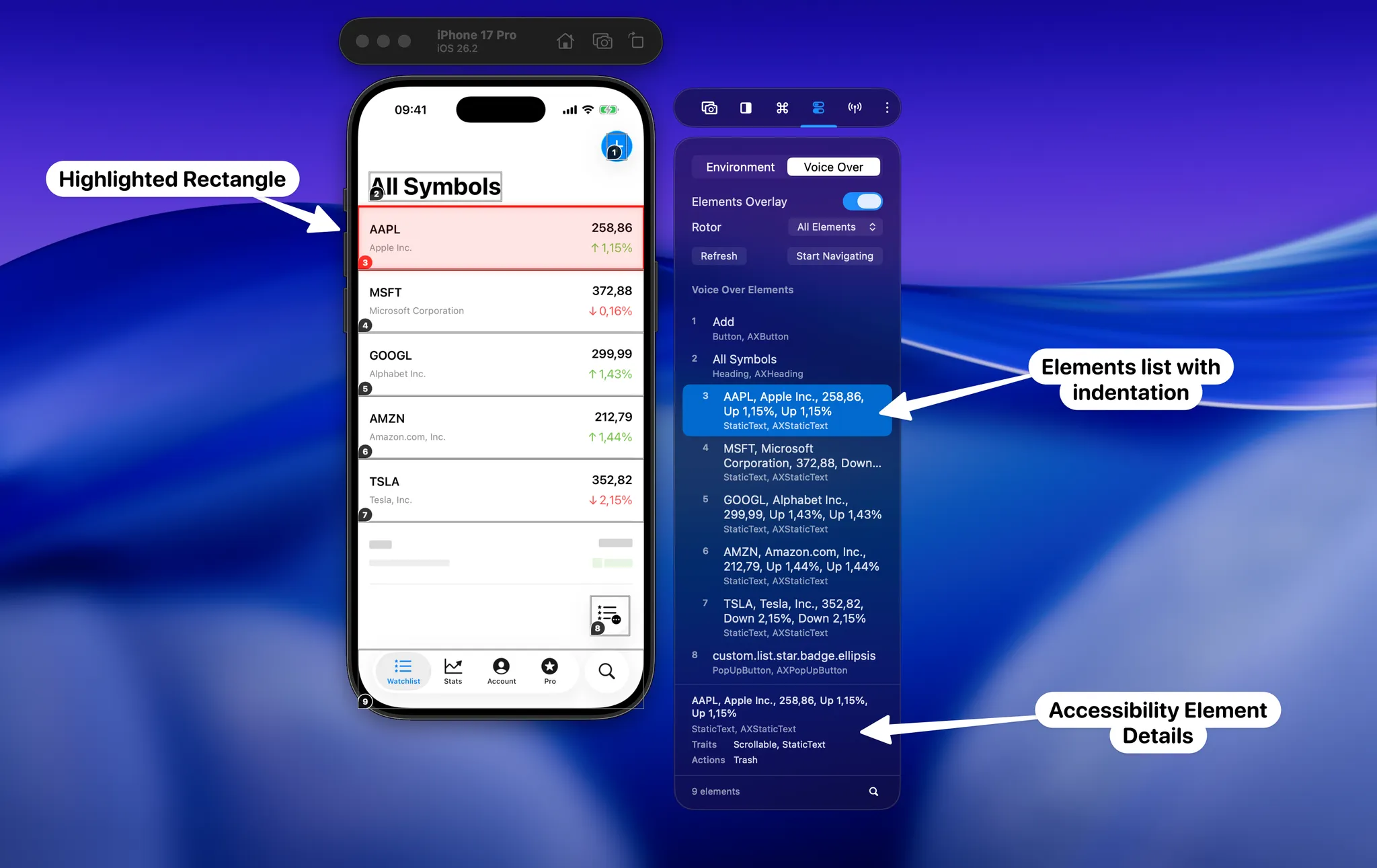
The headline feature in RocketSim 15 is VoiceOver Navigator. It lets you move through accessibility elements using your keyboard, directly in the Simulator. Arrow keys move through the current VoiceOver order, Enter activates the selected element, and the overlay updates as your app changes state.
What I like most is that this is not just another inspector. You can still click elements and inspect their accessibility metadata, but the real win is speed. You immediately see whether the reading order makes sense, whether a heading lands where you expect it to, and whether activating a control moves focus in a sensible way.
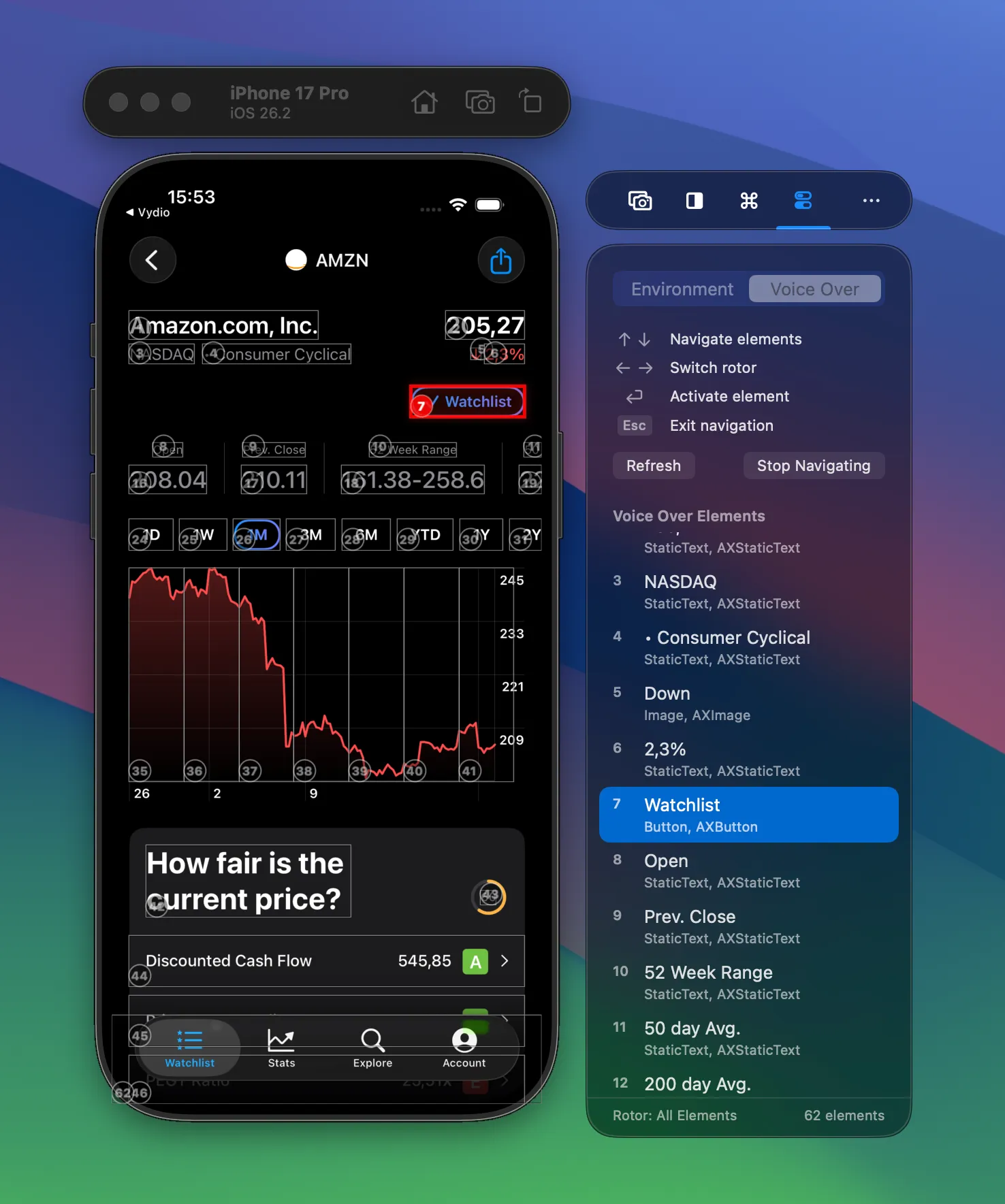
Accessibility work in iOS often becomes much easier once you can see the structure instead of only hearing it. That is exactly what the new Elements Overlay gives you. If you care about shipping more accessible apps, this feature is worth checking out on its own.
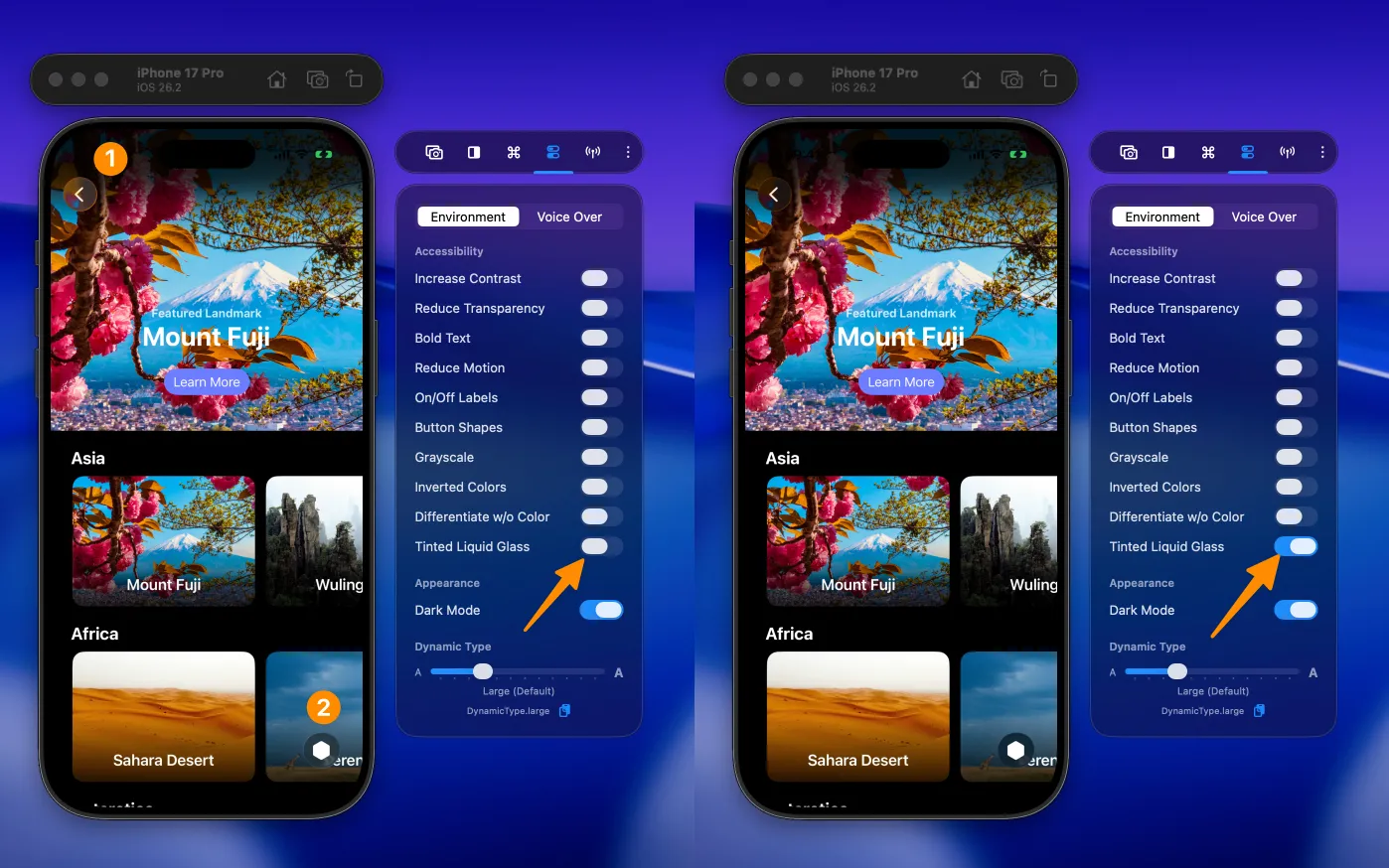
RocketSim 15 also adds direct testing for Tinted Liquid Glass. Liquid Glass looks great in demos, but the accessibility story matters just as much. Being able to compare both states in the Simulator is a much faster way to validate contrast and readability while you iterate.
Editing Xcode Simulator recordings after capture
The second big improvement in RocketSim 15 is the new post editor for screenshots and videos. If you record Xcode Simulator videos for release notes, social media, demos, or App Store assets, you probably know how often a capture is technically correct but still not quite ready to share.
The new editor fixes that. You can trim the recording, adjust the styling, tweak the frame, change the output ratio, update metadata, and preview everything live before exporting. That means one good base recording can now become several polished variants without you needing to capture the whole flow again.
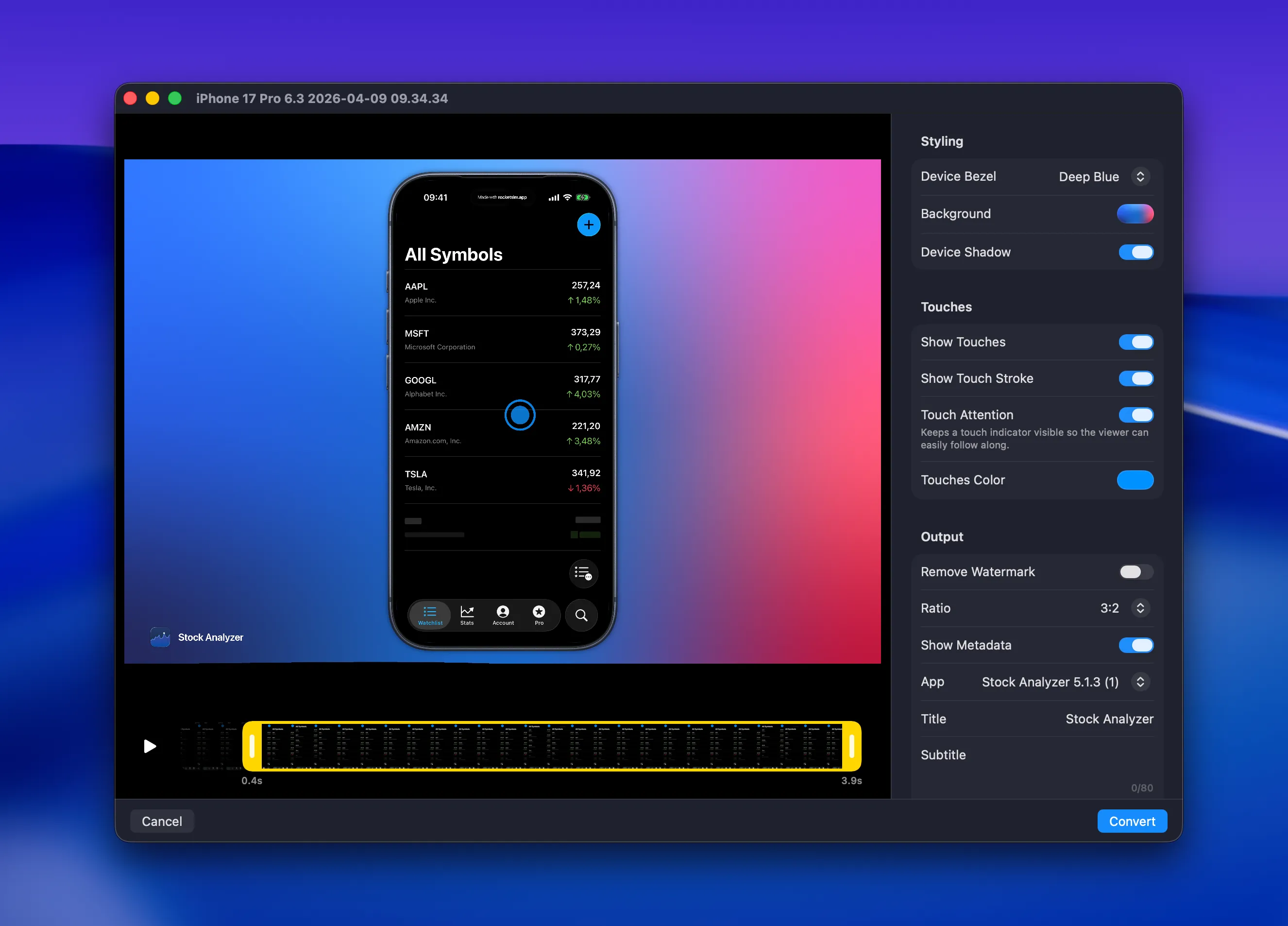
I think this is especially useful for teams that rely on Xcode Simulator recordings as part of their development workflow. You can keep your capture loop fast, but still end up with an output that looks intentional. If you want to see it in action first, I also published a short demo video.
Smaller updates that speed up testing
RocketSim 15 also includes a few smaller changes that matter a lot in day-to-day work. The new Reset Keychain action is one of those features you start using once and then wonder why it did not exist earlier. Authentication testing often goes wrong because of stale credentials, and resetting the Simulator keychain is much faster than manually clearing app state over and over again.
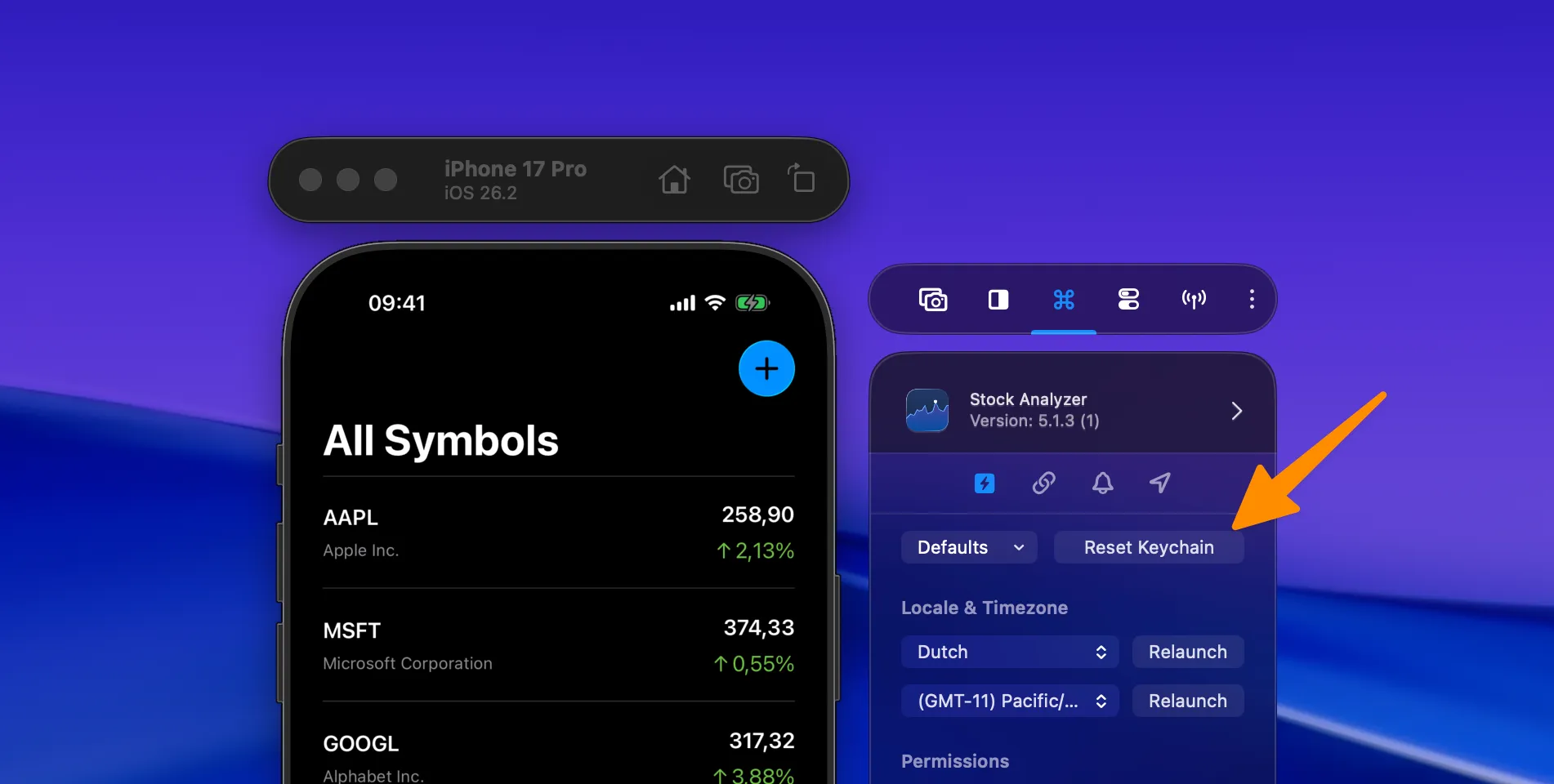
Networking tools also moved into a dedicated tab. That sounds small, but it makes both discovery and repeated usage better. Features like network speed control and the network monitor now feel like part of one workflow instead of scattered utilities.
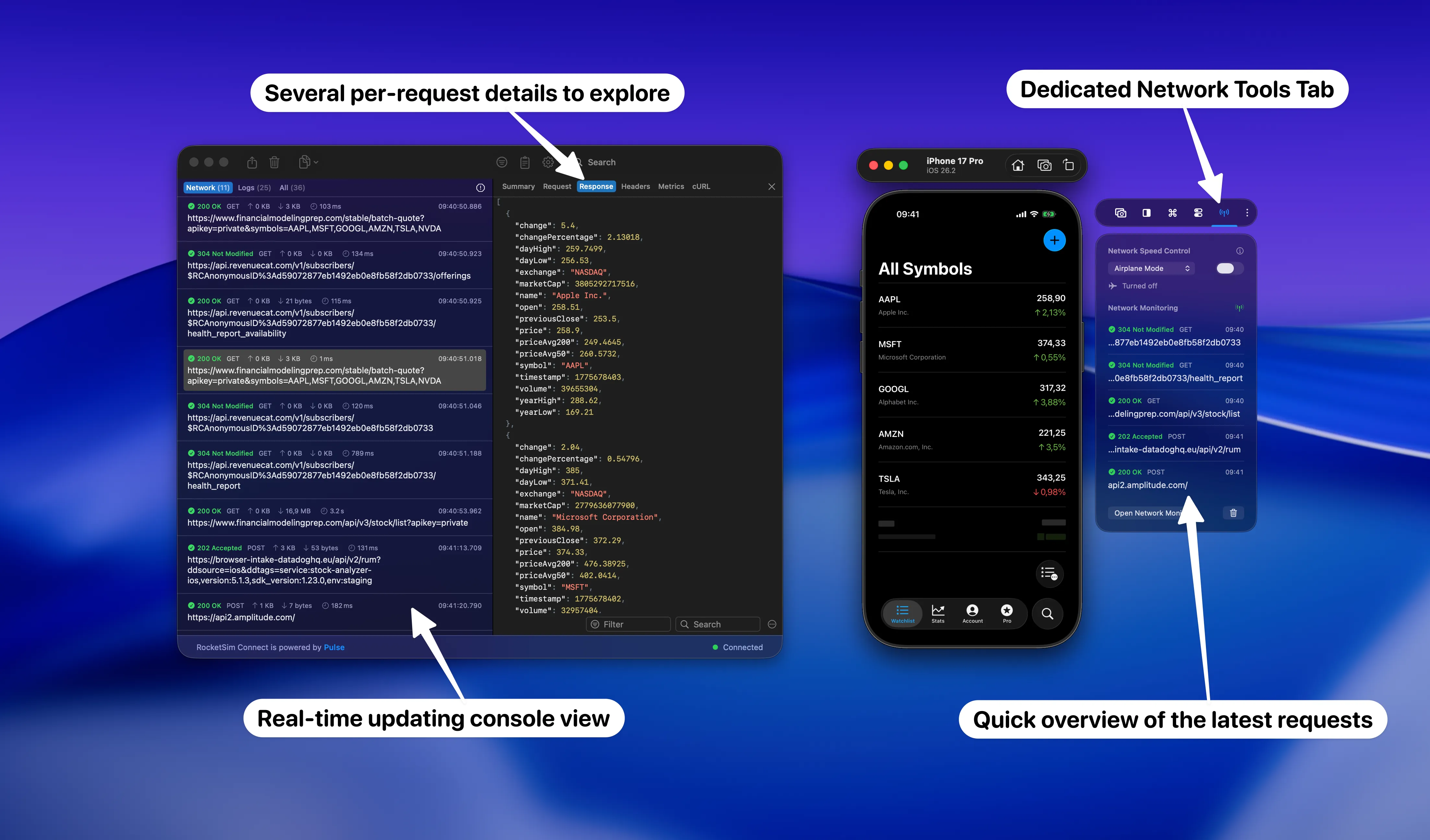
If you regularly test under poor connectivity, inspect requests, or debug networking issues in the Simulator, this new structure should save you a few clicks every day. Sometimes that is exactly the kind of improvement that makes a tool feel much more polished.
The first RocketSim CLI beta
I also bundled the first version of the RocketSim CLI in this release. It only supports a few commands today, but the direction is clear: I want to make it easier for your agents and automation workflows to interact with the Simulator in a secure, sandboxed way.
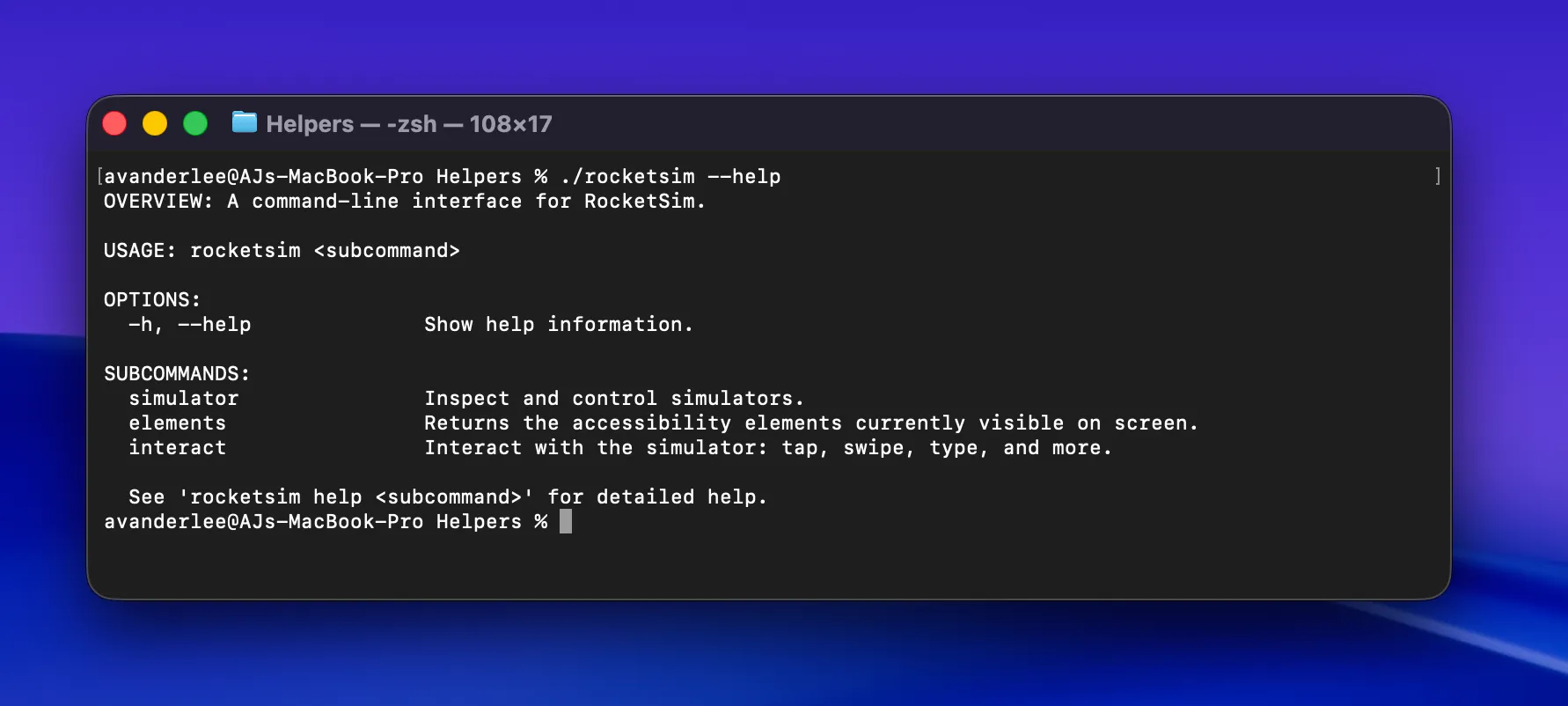
I am particularly excited about this because I used an agentic coding setup heavily while building RocketSim 15 itself. The foundation of RocketSim has always been solid, but the current tooling finally lets me move at a speed that was simply not realistic before. If your team is already deep into agentic coding, feel free to reach out if you want to join the beta.
Localized pages and student access
Two more updates are worth calling out. First, RocketSim now has localized App Store pages in Chinese, French, German, and Spanish. After visiting Let’s Vision in Shanghai, it became clear to me that RocketSim needed to do a better job outside English-only messaging.
Second, students can now get RocketSim Pro for free for one year through the student program. Professional tooling made a big difference early in my own career, so this felt like the right moment to give something back.
Conclusion
RocketSim 15 is a release focused on faster feedback loops. VoiceOver testing in the Simulator becomes practical enough to use throughout development, and Xcode Simulator recordings become much easier to polish after capture. The rest of the release continues that same pattern: fewer interruptions, less repetitive setup, and quicker access to the tools you actually use.
If you already use RocketSim, I recommend installing the latest update from the Mac App Store and trying the accessibility and capture workflows first. If you have feature ideas or feedback, feel free to open an issue on GitHub. Thanks!