Environment Overrides
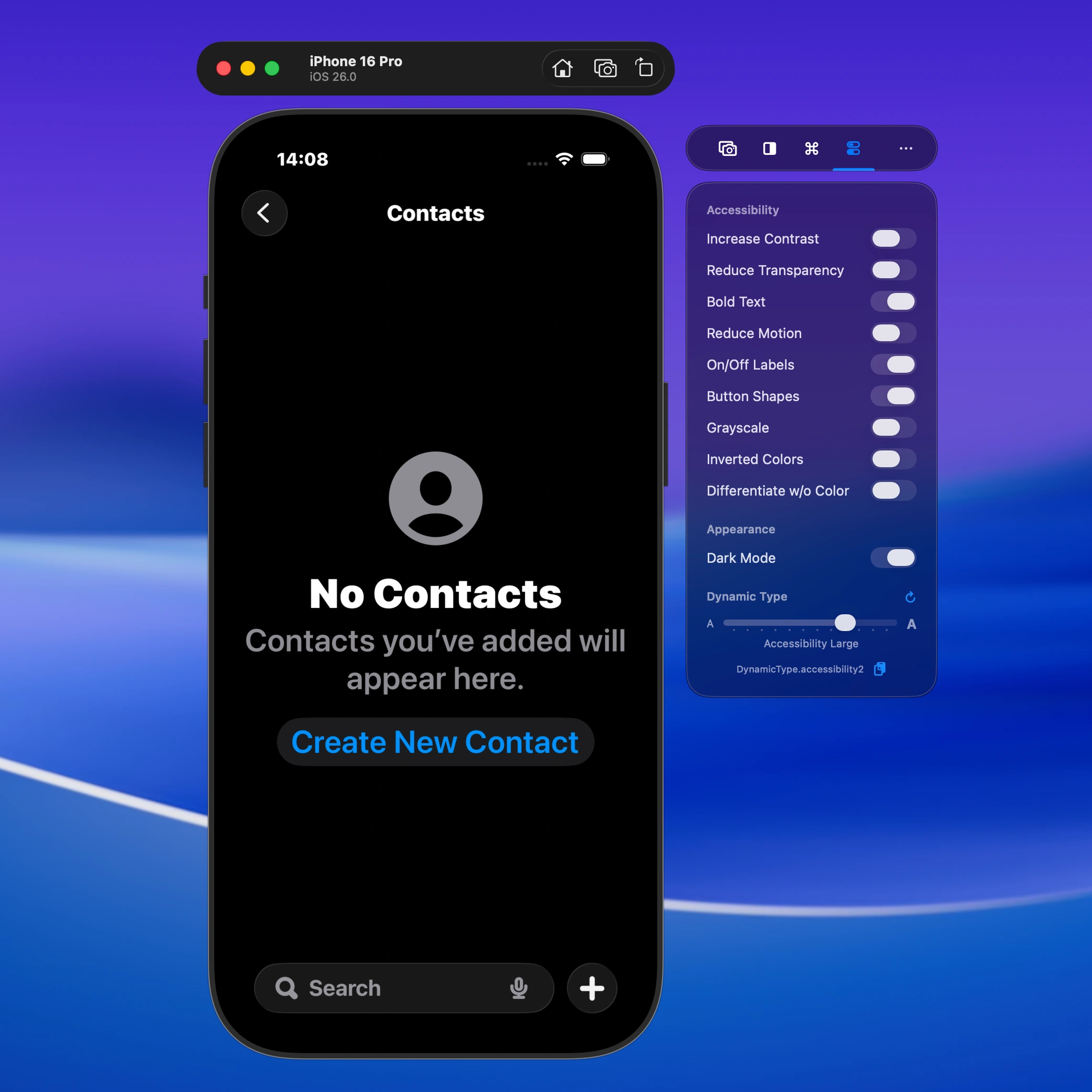
Make your app accessible by using environment overrides like inverted colors or changing the dynamic type size.
Verify accessibility faster with overlays, navigator controls, and environment testing
Make your app accessible by using environment overrides like inverted colors or changing the dynamic type size.
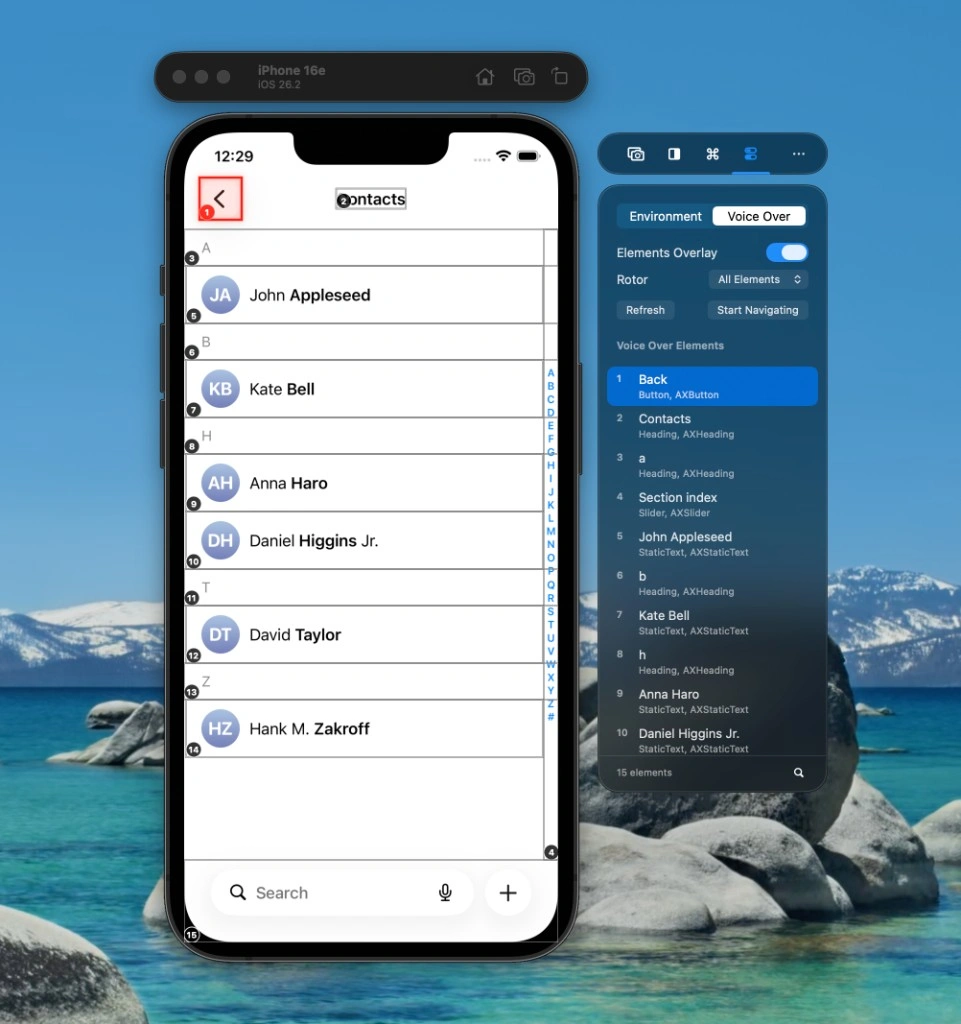
Testing VoiceOver used to mean grabbing a physical device, enabling VoiceOver, and swiping through your app to hear the order of elements. It works, but it pulls you out of your development flow — you’re constantly switching between Simulator and device, and the gesture-based navigation can feel slow when you’re iterating.
VoiceOver Navigator keeps you in the Simulator. It overlays numbered labels on each accessibility element in the same order VoiceOver would use, so you can see at a glance whether your reading order makes sense. You can:
No device, no gestures, no context switch. You get a much quicker loop for checking VoiceOver behavior while you develop.
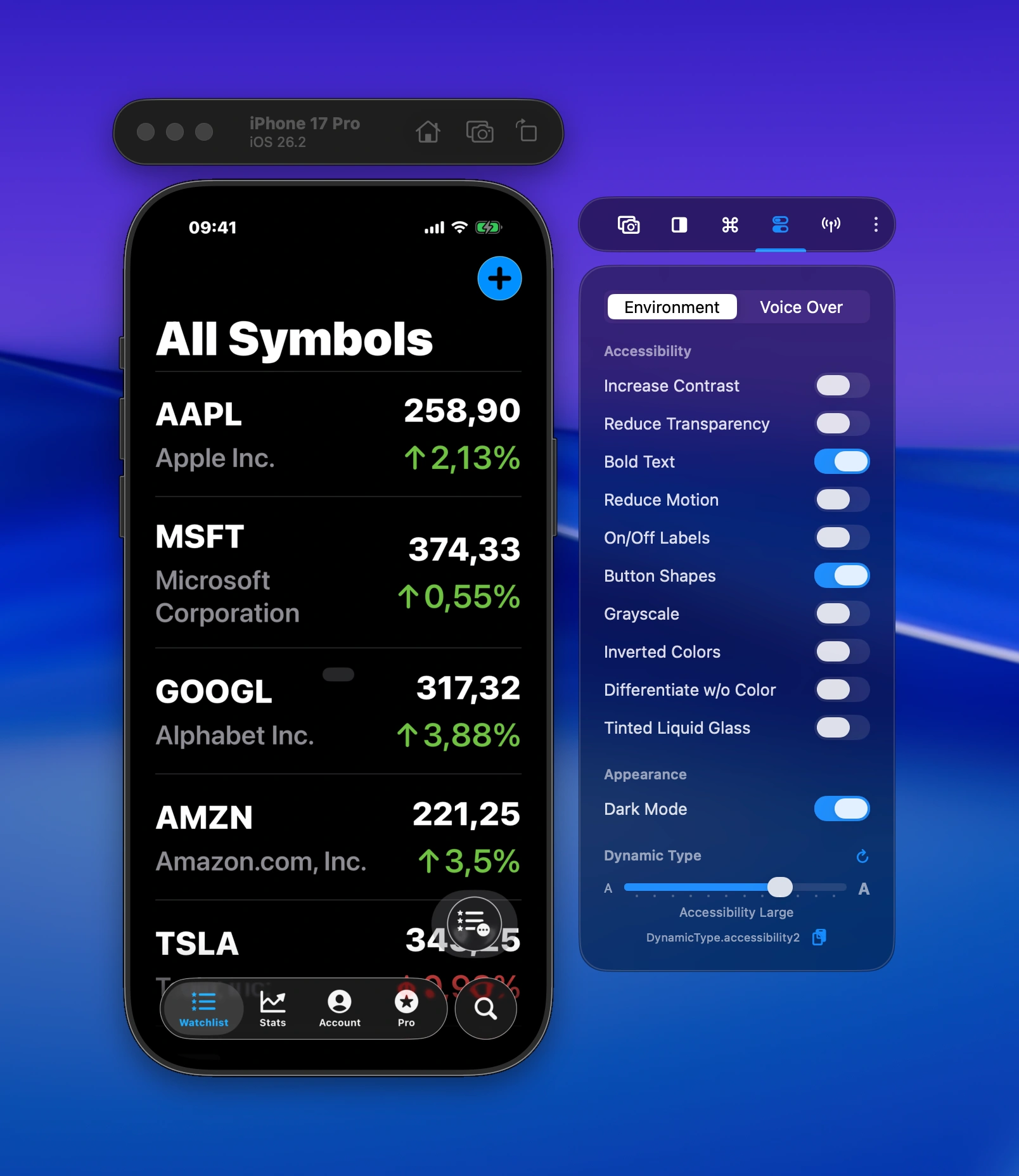
Toggle accessibility features like bold text, reduce motion, and change dynamic type sizes — right from the side window, without navigating through Settings.
Boost your productivity and streamline your workflow with our powerful Xcode Simulator tools. Developers report building, testing, and verifying apps up to 2x faster with RocketSim.